
Top IT Asset Tracking Software in 2026 (And Where Most Tools Fall Short)

Most companies think once they implement IT asset tracking software, the problem is solved. It’s not. You can see every device in your system. You can track who it’s assigned to. You can run reports at any time. But when an employee leaves, that’s when the gap shows up.
That’s the difference between tracking assets and actually controlling them. When devices aren’t returned, the risk isn’t just operational, it’s security. According to IBM’s Cost of a Data Breach Report, the average data breach now exceeds $4.45 million. Lost or unreturned devices increase that risk because they fall outside your control.
In this guide, we’ll break down the top IT asset tracking software in 2026, how to choose the right one, and where most tools fall short when it comes to asset recovery.
In This Article
What is IT Asset Tracking Software?
At a basic level, IT asset tracking software is how companies keep track of their devices. Who has what, where it is, and whether it’s still in use.
Most tools do this by automatically detecting devices, logging them into a system, and updating their status over time. That includes everything from laptops and monitors to software licenses and cloud tools. The goal is simple. Give IT teams a clear, real-time view of what they own so nothing slips through the cracks.
Without that visibility, things start to break down quickly. Devices go missing, software licenses get wasted, and when someone leaves the company, no one is completely sure what needs to come back.
IT asset tracking solutions typically track several categories of assets:
Hardware assets: Laptops, desktops, servers, mobile devices, monitors, printers, and network equipment
Software assets: Licensed applications, subscription services, and cloud-based tools
Digital assets: Certificates, configurations, and access credentials
Network assets: IP addresses, domain names, and infrastructure components
Key Features to Look For
Once you know what matters, these are the features that actually support it.
Automated Discovery and Tracking
If your system depends on manual updates, your data will be wrong. Devices get missed, records fall out of date, and inventory is inaccurate. The platform should automatically detect devices, update status changes, and keep records current without relying on user input.
Integration Capabilities
Asset data is only useful if it connects to the rest of your systems. It should sync with your help desk, HR platform, identity provider, and finance tools so asset ownership, user status, and costs all stay aligned. If those systems are disconnected, you end up with conflicting records.
Compliance and Security Management
You need to be able to answer simple questions quickly: who has this device, where has it been, and what happened to it. That means having access controls, audit history, and visibility into asset activity. This becomes especially important during audits, security incidents, or employee offboarding.
Lifecycle Management
Tracking a device is only one part of the lifecycle. You also need visibility into how it moves through onboarding, usage, reassignment, and end-of-life. This includes warranty tracking, maintenance history, and knowing when a device should be redeployed or retired.
What happens after tracking
This is where most tools fall short. Tracking tells you where a device should be, but it doesn’t ensure it comes back. Returns, follow-ups, shipping, and confirmation of receipt all require a separate process.
That’s where solutions like Retriever fit in, handling retrieval, redeployment, and disposal so devices actually make it through the full lifecycle.
Top IT Asset Tracking Software in 2026
Choosing IT asset tracking software comes down to how your organization actually operates. Most platforms offer inventory tracking, but they differ in how they handle discovery, integrations, and lifecycle management.
Below are widely used IT asset tracking platforms in 2026, grouped by where they fit best.
Oomnitza
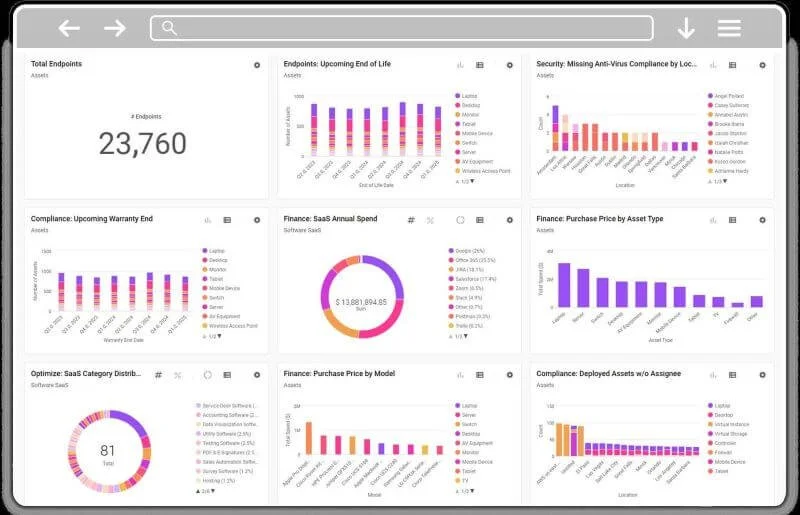
Oomnitza is designed to act as a central system of record for assets by pulling data from the systems you already use, rather than relying on a single source.
Instead of discovering or tracking assets on its own, it aggregates data from tools like HR systems, IT service management platforms, and device management tools. That means asset information is tied directly to employees, departments, and financial data, giving a more complete picture of who has what and where it came from.
This makes it especially useful in environments where asset data is spread across multiple systems and needs to be unified.
Key capabilities include:
Aggregating asset data from HR, ITSM, MDM, and procurement systems
Tracking assets across the lifecycle using data from connected tools
Workflow automation triggered by events like onboarding and offboarding
Centralized reporting across systems for visibility and audit readiness
Where Oomnitza stands out is its ability to unify fragmented data. Instead of replacing existing tools, it sits on top of them and connects everything together into a single view.
Best for: Organizations that rely on multiple systems and need a centralized, accurate view of asset data across departments
Consideration: Depends heavily on integrations, so the quality of data and functionality is tied to how well those systems are connected
ServiceNow IT Asset Management
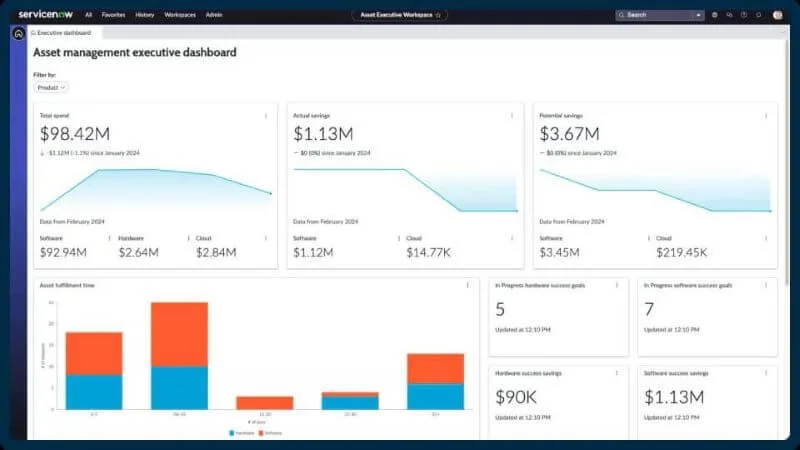
ServiceNow is built for organizations that need to manage IT assets as part of a larger system, not as a standalone tool.
Its biggest strength is how tightly asset data is connected to the CMDB(Configuration Management Database). Every device, license, and contract is linked to users, services, and infrastructure, which gives IT teams a full picture of how assets are actually being used across the business.
It supports both hardware and software asset management, including:
Lifecycle tracking from procurement through retirement
Software license management and compliance tracking
Contract and vendor management tied to assets
Integration with procurement and financial systems for cost visibility
Because it sits inside the broader ServiceNow platform, it also ties directly into workflows like onboarding, offboarding, and incident management. That means asset data is not just tracked, it’s actively used in day-to-day IT operations.
Where ServiceNow stands out is scale and control. It’s designed for complex environments where visibility, governance, and auditability matter.
Best for: Large organizations that need asset management tightly integrated with ITSM, finance, and compliance systems
Consideration: Requires significant implementation effort, ongoing administration, and is typically one of the more expensive options.
Freshservice
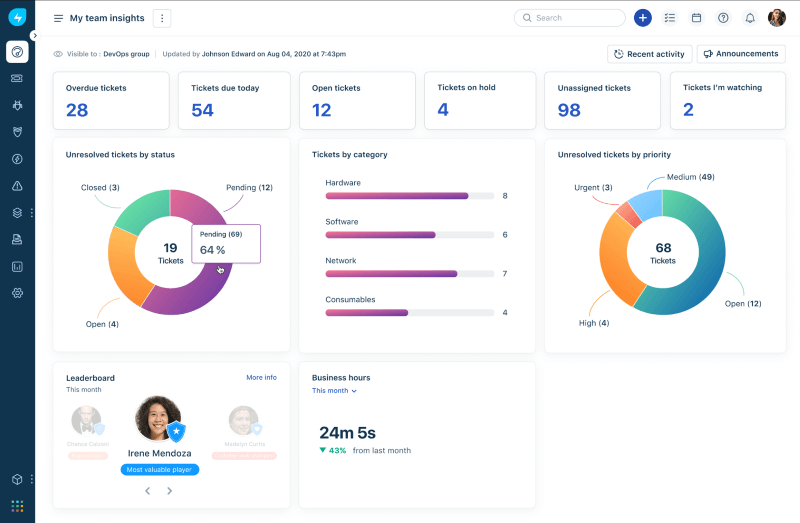
Freshservice is designed for IT teams that want asset tracking built directly into their service desk, not managed as a separate system.
Its biggest advantage is simplicity. Asset data, tickets, and users all live in one place, so IT teams can see exactly which devices are tied to which employees and what issues are associated with them. That makes day-to-day support much easier to manage.
Freshservice includes both asset management and discovery capabilities. It can track hardware and software assets, and with its discovery tools, IT teams can automatically identify devices on the network and keep inventory up to date without manual entry.
Key capabilities include:
Asset tracking tied directly to tickets, incidents, and service requests
Network discovery through its probe/agent for identifying devices
Basic software asset management, including license tracking
Lifecycle tracking from deployment through retirement
Visibility into asset usage within the same system used for support
Where Freshservice stands out is usability. It’s much faster to set up than more complex platforms, and most teams can start using it without heavy configuration.
Best for: Mid-sized IT teams that want asset tracking tightly connected to their help desk and daily operations
Consideration: Less flexible for complex environments, with more limited customization and depth compared to platforms like ServiceNow
Lansweeper
Lansweeper is built around one core strength: discovering and inventorying everything in your IT environment.
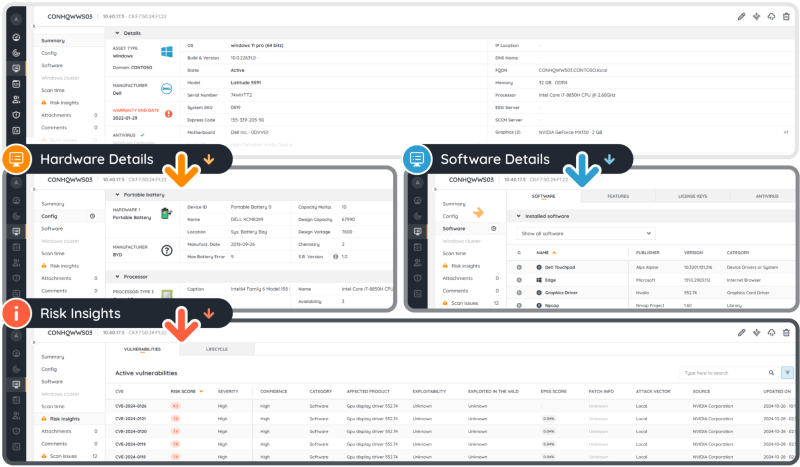
Unlike tools that rely on manual entry or tight integration with a service desk, Lansweeper scans your network to automatically identify devices, installed software, and configurations. It uses agentless discovery across IP ranges, Active Directory, and cloud environments, which makes it especially useful for environments where asset data is incomplete or outdated.
What sets it apart is the depth of its inventory. It doesn’t just tell you that a device exists. It shows:
Installed software and versions
Hardware specifications
Network details and configurations
Known vulnerabilities and risk insights tied to assets
This makes Lansweeper particularly valuable for audits, security reviews, and gaining visibility into unmanaged or unknown assets.
It also includes reporting and dashboards that help IT teams understand what’s actually in their environment without relying on users or manual processes.
Best for: Organizations that need accurate, automated asset discovery and deep visibility into their IT environment
Consideration: Focused on inventory and discovery, not built for managing workflows like ticketing, onboarding, or offboarding
Asset Panda
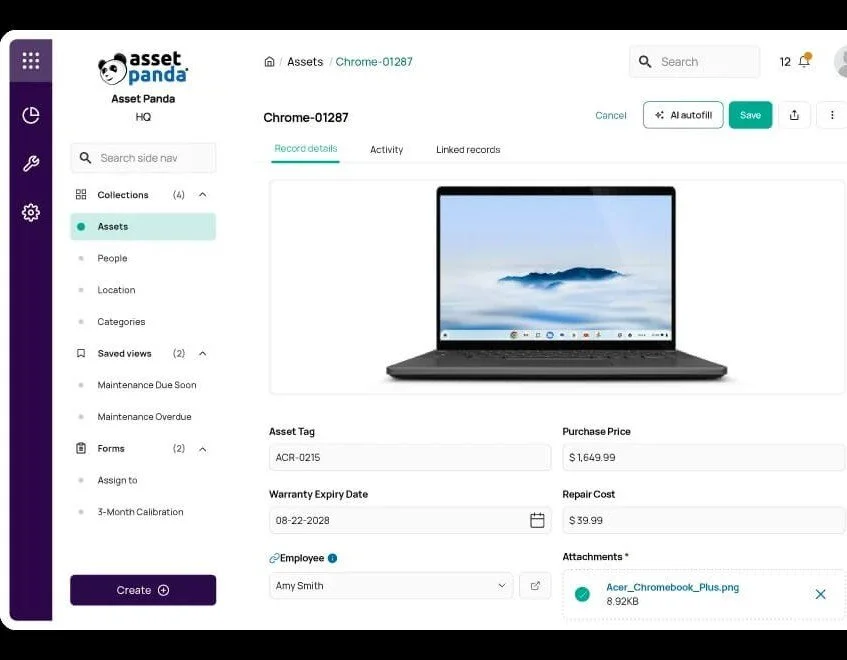
Asset Panda is a flexible, cloud-based asset tracking platform designed to handle more than just traditional IT assets.
Instead of focusing purely on IT infrastructure, it allows organizations to track a wide range of assets, including laptops, equipment, tools, and other physical inventory, all within the same system. That makes it a good fit for teams that need one platform to manage assets across different departments.
One of its biggest strengths is customization. Fields, workflows, and reporting can all be tailored to match how your organization tracks and manages assets. This flexibility makes it easier to adapt the system to existing processes rather than forcing teams to change how they work.
It also includes strong mobile capabilities. With built-in barcode and QR code scanning, teams can update asset records, check items in and out, and track inventory directly from a mobile device.
Key capabilities include:
Custom asset fields and workflows based on business needs
Mobile app with barcode and QR code scanning
Tracking for both IT and non-IT assets in a single system
Reporting and audit logs for asset activity and history
Where Asset Panda stands out is flexibility. It can be configured to support a wide range of use cases beyond IT, but that flexibility comes with the need to set it up correctly.
Best for: Organizations that need customizable asset tracking across multiple asset types, not just IT equipment
Consideration: Requires setup and configuration to get full value, and lacks deeper IT-specific features like advanced discovery or native ITSM integration
Snipe-IT
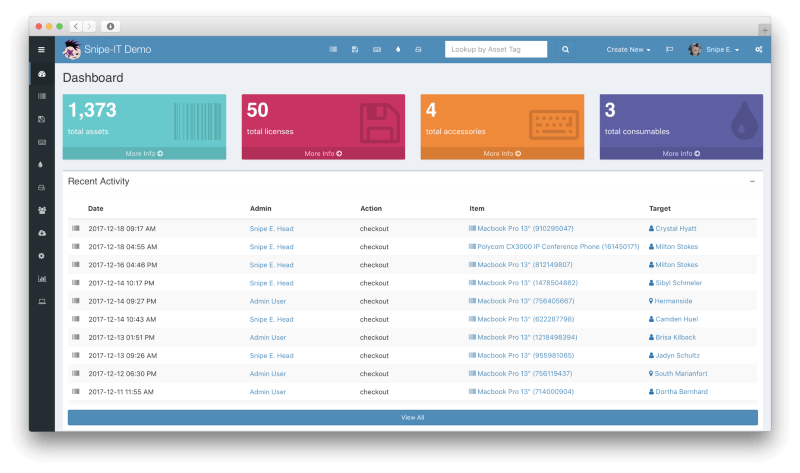
Snipe-IT is an open-source asset management system built for teams that want a simple, low-cost way to track assets without relying on a large platform.
It focuses on the basics. Assets are manually entered, assigned to users, and tracked over time. Unlike tools that rely on automated discovery or deep integrations, Snipe-IT is designed to give teams a straightforward system for keeping records organized and accessible.
It supports tracking for hardware, software licenses, and accessories, along with basic audit trails so teams can see who had what and when.
Key capabilities include:
Asset assignment and check-in/check-out tracking
License tracking and accessory management
Audit history for asset activity
Self-hosted or cloud-hosted deployment options
Where Snipe-IT stands out is control and cost. Teams can host it themselves, customize it as needed, and avoid ongoing licensing fees.
Best for: Smaller teams or organizations that need a simple, low-cost system for tracking assets without complex requirements
Consideration: Lacks automated discovery, advanced integrations, and workflow automation, and typically requires technical setup and ongoing maintenance