
Business Asset Protection: How Laptop Retrieval Services Protect Company Assets
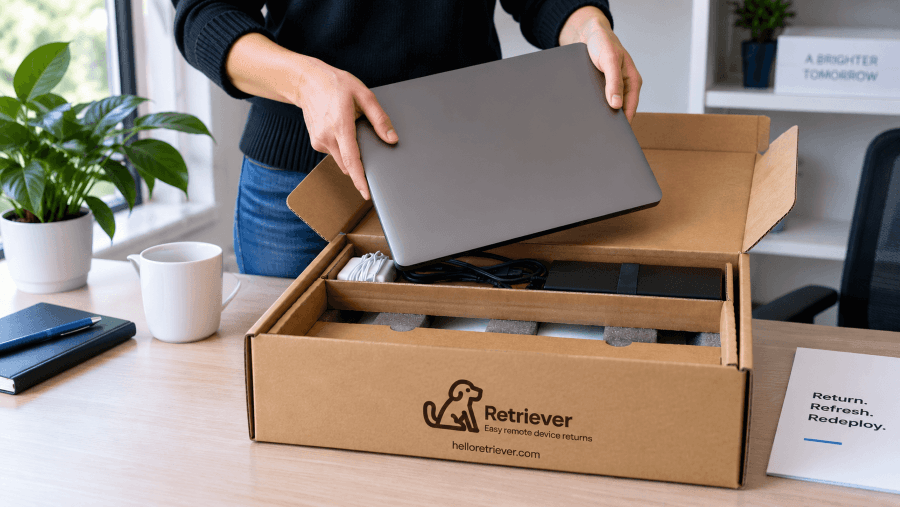
When company laptops are distributed to remote employees, contractors, and temporary workers, protecting those assets becomes more difficult once the devices leave the office. A laptop that is not recovered when someone leaves can mean lost hardware value, sensitive company data remaining outside the organization, and hours of work for IT and HR teams trying to get the device back.
A structured laptop retrieval process gives businesses a consistent way to recover company-owned devices. Instead of relying on employees to find packaging, arrange shipping, and respond to manual follow-ups, businesses can provide secure return packaging, prepaid shipping, clear instructions, automated reminders, and tracking from the initial return request through receipt.
Laptop retrieval also extends beyond getting the device back. Businesses need to maintain visibility and chain of custody, inspect returned equipment, securely address company data, and determine whether each laptop should be stored, repaired, redeployed, sold, or moved through IT asset disposition (ITAD).
This guide explains how laptop retrieval services work step by step and how a structured process can help businesses protect company assets, reduce manual IT work, and securely manage returned devices. It also looks at real-world business scenarios involving remote employee offboarding, seasonal and temporary workers, contractors, and devices being recovered for their next lifecycle stage.
What is Business Asset Protection?
Business asset protection is the process of safeguarding a company’s physical, digital, and financial assets from loss, theft, damage, unauthorized access, and other risks. For businesses with remote or distributed employees, company-owned laptops are particularly important assets to protect because they have both hardware value and access to company data and systems.
Protecting those devices requires visibility throughout their lifecycle, from deployment and daily use through employee offboarding, retrieval, redeployment, and eventual disposition. When a laptop is not recovered after an employee, contractor, or temporary worker leaves, the business can lose the value of the hardware while also creating potential data security and compliance risks.
A structured laptop retrieval process is one part of business asset protection. It helps companies maintain control over devices outside the office by standardizing how laptops are recovered, tracked, securely handled, and routed to their next lifecycle stage.
What Are the Risks of Not Managing Laptop Returns?
When businesses do not have a structured process for recovering company laptops, the risk goes beyond the cost of replacing the hardware. Unreturned devices can leave company data outside the organization, create gaps in asset visibility, increase administrative work for IT and HR, and delay decisions about redeployment or disposal.
The financial impact can also extend well beyond the value of the laptop itself. Organizations may face replacement costs, lost productivity, time spent on manual follow-up, and additional security or compliance work when devices remain unaccounted for.
The greater concern is often the information stored on the device. Company laptops may contain saved credentials, locally stored files, customer information, or access to business systems. When a device remains with a former employee, contractor, or temporary worker, the organization has less control over where that device is and how the data on it is being handled.
A structured retrieval process helps reduce these risks by giving businesses a consistent way to initiate returns, track outstanding devices, maintain chain of custody, and move recovered laptops into the appropriate next stage.
Why Are Laptop Retrieval Services Important for Business Asset Protection?
Laptop retrieval services are important for business asset protection because they give organizations a consistent way to recover company-owned devices, maintain visibility over those assets, and reduce the time IT and HR teams spend managing individual returns.
For remote and distributed workforces, recovering a laptop can otherwise depend on a departing employee finding appropriate packaging, arranging shipping, and responding to manual follow-up. A structured retrieval service standardizes that process so businesses are not creating a new return workflow every time an employee, contractor, or temporary worker leaves.
Recovering devices also allows businesses to retain more value from their existing hardware. A laptop that comes back can be inspected and, depending on its condition and remaining useful life, repaired, stored, redeployed, sold through a buyback program, or securely processed for end-of-life disposition.
Just as importantly, a structured return process helps businesses maintain accountability for devices that contain or provide access to company data. Tracking, documented chain of custody, and defined post-return handling give IT teams greater visibility from the time a return is initiated through the device's next lifecycle stage.
How Organizations Use Laptop Retrieval Services to Support Business Asset Protection
Laptop retrieval needs can look very different depending on why a device is being recovered. An employee may be leaving a remote position, a seasonal workforce may be returning dozens of laptops at once, or a contractor may be completing a project from another state. In each case, the business needs to recover its equipment while maintaining visibility, protecting company data, and minimizing the administrative work required from IT and HR.
The following scenarios show how a structured laptop retrieval process can address common device recovery challenges, the steps involved in each situation, and the measurable operational or financial impact businesses can achieve.
Scenario 1: Recovering Laptops During Remote Employee Offboarding
A company with a distributed workforce has several remote employees leave during the same month. Each employee has a company laptop that needs to be recovered, but there is no centralized return process. IT is emailing former employees individually, creating shipping labels, answering packing questions, checking tracking numbers, and following up when devices are not shipped on time.
The problem: Managing each return manually creates multiple points where the process can stall. Employees may not have an appropriate box, shipping instructions may be unclear, and IT has to repeatedly check whether each laptop has actually been shipped. Until the devices are returned, the company also has hardware and potentially sensitive company data outside its control.
The retrieval process: Instead of coordinating each return manually, the company initiates a laptop return for each departing employee through a structured retrieval service. A padded return kit with a prepaid shipping label and packing instructions is sent directly to the employee. Automated reminders follow up if the return has not moved forward, while tracking gives IT visibility into each device as it moves through the return process.
Once the laptop arrives, the device can be accounted for, inspected, and routed to its next lifecycle stage. Depending on the company’s needs and the condition of the laptop, that may include secure storage, repair, redeployment to another employee, a buyback program, or secure data destruction and ITAD.
The measurable outcome: A structured retrieval process reduces the number of manual tasks IT has to manage for each departing employee while improving the likelihood that company equipment is recovered. With a managed process, a return can be initiated in about 30 seconds, and Retriever has a 98%+ device return rate. For a business managing multiple remote departures, that means less time spent coordinating packaging, shipping, reminders, and tracking while more company-owned devices are successfully recovered.
Scenario 2: Recovering Laptops From Seasonal and Temporary Workers
A business brings on a large group of seasonal employees, interns, or temporary workers for a limited period and provides laptops for the duration of their assignments. When those assignments end around the same time, IT suddenly has dozens of devices that need to be recovered within a short window.
The problem: Without a standardized return process, IT and HR may need to coordinate packaging, shipping labels, return instructions, and follow-up separately with every worker. When many assignments end at once, outstanding devices can become difficult to track. Delayed returns can also leave laptops unavailable for the next group of workers, potentially forcing the business to purchase additional equipment while usable devices remain unreturned.
The retrieval process: Before the assignments end, the company initiates returns for each worker through a structured laptop retrieval service. Each employee receives a padded return kit, prepaid shipping label, tape, and clear packing instructions. Automated communications and reminders keep employees informed about what they need to do, while centralized tracking gives IT visibility into which kits have been delivered, which laptops have shipped, and which returns still require attention.
As devices arrive, they can be accounted for and moved directly into inspection, cleaning, secure storage, or preparation for redeployment. This allows the business to create a repeatable cycle in which equipment issued to one temporary workforce can be recovered and prepared for future employees rather than sitting unaccounted for after an assignment ends.
The measurable outcome: A structured retrieval process allows businesses to handle a high volume of laptop returns without creating a separate manual workflow for every temporary worker. With a managed process, businesses can achieve a 98%+ device return rate while reducing the time IT spends coordinating packaging, shipping, reminders, and tracking. The financial impact can also add up quickly: an internally managed laptop return can cost an estimated $197–$334 per device when IT labor, packaging, and shipping are included, compared with $75–$95 per return using Retriever’s managed service, depending on volume.
Scenario 3: Recovering Laptops From Contractors and Freelancers
A company provides laptops to contractors, consultants, or freelancers who need access to internal systems and company information during a project. When an engagement ends, those workers may be located across different cities or states, and IT needs to recover the equipment even though the individuals are no longer part of the company’s day-to-day workforce.
The problem: Contractor departures can be harder to manage when device recovery is handled outside the company’s standard employee offboarding process. IT may need to determine who still has company equipment, contact each contractor individually, arrange return shipping, and repeatedly follow up on outstanding devices. Until the laptop is recovered, the company has both a physical asset and potentially sensitive business data outside its control.
The retrieval process: When a contractor’s engagement ends, the company initiates a return and sends a padded return kit directly to the contractor. The kit includes protective packaging, a prepaid shipping label, tape, and clear return instructions. Automated reminders help keep the return moving, while tracking gives IT visibility from the return request through shipment and delivery.
Once the laptop is received, the company can confirm that the asset has been recovered and determine what should happen next. The device can be inspected, securely sanitized when appropriate, stored for future use, prepared for redeployment, sold through a buyback program, or moved through secure data destruction and ITAD.
The measurable outcome: A structured retrieval process gives businesses a consistent way to recover company equipment from contractors without requiring IT to create and manage a separate return process for every engagement. With a managed process, businesses can achieve a 98%+ device return rate while reducing the manual coordination required for packaging, shipping, reminders, and tracking. This also helps bring devices containing company data back under organizational control so they can be securely processed for their next lifecycle stage.
Scenario 4: Recovering Laptops Before Redeployment or Disposal
A company has laptops spread across a remote workforce, and several devices need to be recovered because employees are leaving, receiving replacement hardware, or no longer need the equipment assigned to them. Some of those laptops still have useful life and could be redeployed, while others may be better candidates for resale or end-of-life disposition.
The problem: Until those laptops are physically recovered and accounted for, IT cannot reliably determine their condition or decide what should happen to them next. Usable devices may remain with former employees while the company purchases new hardware for incoming employees, and devices that should be retired may remain outside a controlled data sanitization and disposition process.
The retrieval process: The company uses a structured laptop retrieval process to bring each device back under organizational control. Employees receive padded return packaging, prepaid shipping, clear instructions, and automated reminders, while tracking provides visibility as each laptop moves through the return process.
Once received, each device is identified and inspected so the company can make a lifecycle decision based on its condition and remaining useful life. A usable laptop can be cleaned, repaired when necessary, securely prepared, stored, and redeployed to another employee. A device that is no longer needed but still has market value may move to a buyback program. End-of-life equipment can move through secure data destruction and ITAD, with appropriate documentation retained.
The measurable outcome: Recovering a usable laptop allows a business to extend the value of hardware it already owns instead of automatically purchasing another device for the next employee. When a recovered laptop is suitable for reuse, it can be prepared and redeployed at approximately half the cost of a standard return credit. Devices that will not be reused can instead move to a buyback or documented end-of-life process, allowing the business to recover remaining value or securely retire the asset.
How Does Retriever’s Laptop Retrieval Service Work Step by Step?
Retriever manages the laptop return process from the initial return request through shipping, tracking, receipt, and the device’s next lifecycle stage. IT teams initiate the return, and Retriever handles the return kit, employee communication and reminders, shipping logistics, and tracking while maintaining visibility throughout the process.
Once a laptop is recovered, Retriever can inspect and prepare the device for its next stage, including secure warehousing, repair, redeployment, buyback, secure data destruction, or IT asset disposition (ITAD), depending on the company’s needs.
Step 1: Initiate the Laptop Return
The Retriever laptop return process begins when an IT or HR team submits a return request for an employee, contractor, or other device holder. A return can be initiated through the Retriever Portal in about 30 seconds, giving the company a centralized way to start the recovery process rather than coordinating the return manually.
The return request provides Retriever with the information needed to begin the recovery, including who has the device and where the return kit should be sent. Once submitted, Retriever takes over the operational steps involved in getting the laptop back, including sending the return kit, communicating with the device holder, sending reminders, managing shipping, and tracking the return.
IT teams can monitor the return through the Retriever Portal, providing visibility into the device without having to manage each step through individual emails, shipping labels, and tracking checks.
Step 2: Send the Return Kit and Instructions
After the return is initiated, Retriever sends a padded return kit directly to the employee, contractor, or other device holder. The kit includes a protective return box, prepaid shipping label, tape, and clear instructions for packing and returning the laptop.
The device holder does not need to find a box, purchase packing materials, print a shipping label, or figure out how to safely package the laptop. Providing the complete kit creates a consistent return experience while helping protect company equipment from damage during transit.
Once the kit is delivered, the device holder can pack the laptop using the provided materials and ship it back using the prepaid label. Retriever then moves the return into the communication, reminder, and tracking stages of the process.
Step 3: Manage Employee Communication and Reminders
After the return kit is sent, Retriever manages communication with the device holder throughout the return process. The employee, contractor, or temporary worker receives email notifications with return instructions and updates so they know what is expected and what action they need to take.
If the laptop has not been shipped, Retriever sends automated reminders to keep the return moving. This removes the need for IT or HR teams to repeatedly email former employees, check whether a return has been completed, and manually follow up on outstanding equipment.
Retriever also provides support seven days a week when a device holder has questions or needs help completing the return. For IT teams, return status remains visible through the Retriever Portal, allowing them to see which devices are still outstanding without managing the communication themselves.
Step 4: Track the Laptop and Maintain Chain of Custody
Once the device holder ships the laptop, Retriever tracks the return as it moves through the shipping process. IT teams can monitor return status through the Retriever Portal, giving them visibility into whether a device has shipped, is in transit, or has been delivered without having to check individual tracking numbers.
Tracking also supports a documented chain of custody by creating a record of the laptop’s movement from the device holder back through the return process. This helps businesses maintain accountability for company-owned equipment while it is outside their physical control and provides documentation that can support internal security and compliance requirements.
If a return is delayed or a shipment encounters an issue, the tracking information helps identify where the device is in the process so the return can be investigated and addressed rather than simply remaining unaccounted for.
Step 5: Receive and Inspect the Returned Laptop
When the laptop arrives at Retriever, the device is received and accounted for so the business has confirmation that the asset has been recovered. Retriever then performs a condition check to document the laptop’s physical condition and identify issues that may affect what happens to the device next.
The inspection can identify visible damage or other issues that may require cleaning or repair before the laptop can be stored or redeployed. This gives IT teams information about the condition of recovered equipment without requiring the device to be shipped back to the company’s office for evaluation.
If a laptop arrives damaged, the issue can be documented and the device can be routed for repair or another appropriate lifecycle decision rather than automatically being returned to inventory.
Once the laptop has been received and evaluated, it can move to secure data handling and preparation for its next lifecycle stage.
Step 6: Securely Sanitize Company Data
After the laptop is received and inspected, Retriever can securely sanitize the device before it is redeployed, sold, or disposed of. Data sanitization helps ensure that company information, saved credentials, locally stored files, and other sensitive data cannot be recovered by the device’s next user.
Retriever provides data erasure in accordance with NIST SP 800-88 Rev. 2 guidelines for media sanitization. When a device requires physical destruction rather than reuse, Retriever can also coordinate secure data destruction and provide a Certificate of Data Destruction (CODD) at the device level, giving the business documentation that the required destruction was completed.
The appropriate method depends on what will happen to the laptop next. A device being prepared for redeployment or resale can be securely erased while preserving the hardware for continued use, while an end-of-life device can move through physical destruction and IT asset disposition.
This step creates a documented transition between recovering the physical asset and determining what should happen to it next.
Step 7: Determine the Laptop’s Next Lifecycle Stage
After the laptop has been received, inspected, and securely processed, Retriever can route the device to its appropriate next lifecycle stage based on the company’s needs and the condition of the hardware.
A laptop that still has useful life can be cleaned, repaired if necessary, securely stored in Retriever’s warehouse, and redeployed to another employee when needed. This allows businesses to keep usable hardware in circulation rather than purchasing a new device every time an employee needs equipment.
If the company no longer needs the laptop but the device still has market value, it can move through Retriever’s buyback program. End-of-life devices can instead be processed through secure data destruction and IT asset disposition (ITAD), with documentation such as a Certificate of Data Destruction when applicable.
By connecting retrieval with the device’s next lifecycle stage, Retriever helps businesses move recovered laptops from offboarding back into inventory, reuse, resale, or secure disposition rather than allowing returned equipment to sit unprocessed.
What Happens When a Laptop Return Does Not Go as Planned?
Not every laptop return follows the standard timeline. An employee may not respond to return instructions, a device may not be shipped by the expected date, a package can be delayed in transit, or a laptop may arrive damaged. A structured laptop return process gives IT teams visibility into these exceptions so they can be addressed rather than allowing the device to simply remain unaccounted for.
If a device holder has not completed the return, Retriever’s automated reminders continue to follow up while IT can monitor the return status through the Retriever Portal. This reduces the need for IT or HR to manually check each outstanding return and helps identify devices that may require additional follow-up or escalation by the company.
Once a laptop has been shipped, tracking provides visibility into its progress. If a shipment is delayed or encounters a shipping issue, the tracking record helps identify where the device is in the return process so the issue can be investigated.
If a laptop arrives damaged, its condition can be documented during inspection. The business can then determine whether the device should be repaired, redeployed, sold, or moved to secure data destruction and ITAD based on its condition and remaining value.
Frequently Asked Questions (FAQs)
How does a laptop retrieval service work step by step?
A laptop retrieval service begins when IT or HR initiates a return for a company-owned device. With Retriever, a return kit containing protective packaging, a prepaid shipping label, tape, and instructions is sent directly to the device holder. Retriever manages employee communications and automated reminders, while IT can monitor the return through the Retriever Portal. Once shipped, the laptop is tracked through delivery and received for inspection. Depending on the company’s needs, the recovered device can then be securely sanitized, repaired, stored, redeployed, sold through a buyback program, or processed through secure data destruction and ITAD.
What happens to a company laptop when an employee is terminated remotely?
When a remote employee is terminated, the company should revoke access according to its security policies and begin recovering any company-owned equipment. With a structured laptop retrieval service, a return kit can be sent directly to the former employee with protective packaging, a prepaid shipping label, and return instructions. Automated reminders and shipment tracking help keep the return moving. Once recovered, the laptop can be inspected, securely sanitized, and routed to storage, redeployment, buyback, or ITAD based on the company’s needs.
How do companies recover laptops from seasonal or temporary workers?
Companies can recover laptops from seasonal and temporary workers by establishing the return process before their assignments end. A structured retrieval service can send return kits and prepaid shipping labels directly to each worker, provide clear instructions, automate reminders, and track outstanding returns. This allows businesses to manage a high volume of device returns through one consistent process rather than coordinating packaging, shipping, and follow-up separately with every worker.
What is the chain of custody process for returned company devices?
Chain of custody is the documented record of a company device as it moves from the device holder through shipping, receipt, and its next lifecycle stage. During a managed laptop return, tracking provides visibility into when the device is shipped, where it is in transit, and when it is delivered. After receipt, the device can be accounted for, inspected, securely processed, and documented as it moves into storage, redeployment, buyback, data destruction, or ITAD.
How much can a business save by using a structured laptop return service?
The savings depend on return volume, internal labor costs, packaging, and shipping. An internally managed laptop return can cost an estimated $197–$334 per device when IT labor, packaging, and shipping are included, compared with $75–$95 per return using Retriever’s managed service, depending on volume. Businesses may also reduce replacement spending when recovered laptops can be repaired, stored, and redeployed instead of purchasing new equipment.
What are the steps in a secure IT asset offboarding process?
A secure IT asset offboarding process includes identifying company-owned devices, revoking system access according to company policy, initiating equipment returns, providing secure packaging and prepaid shipping, communicating with the device holder, tracking the return, maintaining chain of custody, inspecting recovered equipment, securely addressing company data, and determining the device’s next lifecycle stage. The final step may include storage, redeployment, buyback, secure data destruction, or ITAD.
What happens if an employee does not return a company laptop?
If an employee does not return a company laptop, the business should continue its established return and escalation process while maintaining visibility into the outstanding asset. With Retriever, automated reminders help follow up with the device holder, while IT can monitor the return status through the Retriever Portal. If the device remains unreturned, the company can determine whether additional internal follow-up or escalation is required based on its own policies.
How Can Businesses Improve Laptop Recovery and Asset Protection?
Businesses can improve laptop recovery by making device returns a defined part of IT asset management rather than handling each return as a separate task. A structured process gives IT teams a consistent way to initiate returns, provide employees with the materials they need, track devices, maintain chain of custody, and account for laptops when they are recovered.
The process should also continue after the laptop arrives. Inspecting returned equipment and determining whether it should be repaired, stored, redeployed, sold, or securely retired helps businesses recover more value from company-owned hardware while maintaining control over devices and company data.
For remote and distributed workforces, a repeatable laptop retrieval process can reduce manual IT work, improve device recovery, and provide greater visibility throughout the asset lifecycle.
Ready to simplify laptop recovery? Retriever can manage return kits, employee reminders and support, shipping, tracking, warehousing, redeployment, buybacks, secure data destruction, and ITAD through one process.