
How Retriever Transforms IT Hardware Lifecycle Management in 2026
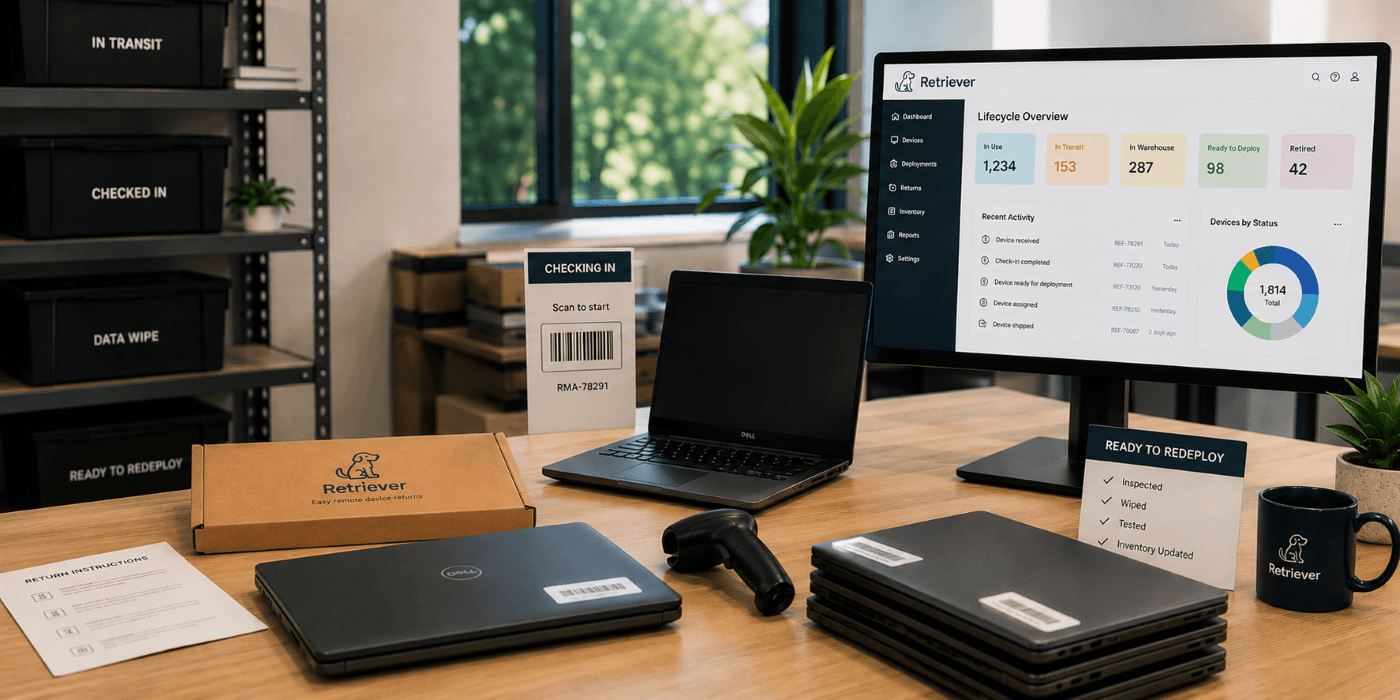
IT hardware lifecycle management used to be a lot simpler when devices rarely left the office. IT teams could collect laptops during offboarding, prep devices for redeployment internally, and keep visibility into most stages of the lifecycle without too many issues.
Remote and hybrid work changed that fast. Now laptops constantly move between employees, homes, warehouses, offices, and shipping carriers. Devices get shipped to new hires, retrieved after offboarding, reassigned across teams, stored during refresh cycles, or retired through disposal workflows.
The hardware lifecycle itself became distributed. And that created a level of coordination many companies were never built to manage manually.
For many IT teams, IT hardware lifecycle management, also called device lifecycle management, is no longer just about buying and tracking devices. It’s about knowing where devices are, who has them, what condition they’re in, and what happens after they leave the office.
That’s why more companies are starting to treat retrieval, redeployment, warehousing, and disposal as connected parts of the same operational process instead of separate tasks handled in different places. In many organizations, that’s when the cracks in the lifecycle process become impossible to ignore.
What Is Device Lifecycle Management?
Device lifecycle management is the process of managing company-owned devices from deployment through retrieval, reuse, and eventual retirement. For IT teams, that can include procurement, configuration, shipping, asset tracking, employee offboarding, laptop retrieval, warehousing, redeployment, repairs, and secure disposition.
Today, the lifecycle of a business laptop often includes:
device procurement and configuration
shipping to remote employees
ongoing asset tracking
employee offboarding and laptop retrieval
inspection and intake processing
warehousing and storage
redeployment to another employee
repairs or refresh preparation
secure IT asset disposition at end-of-life
Where Does Device Lifecycle Management Break Down?
Device lifecycle management often breaks down in the gaps between lifecycle stages, not when a device is first purchased. A laptop may be returned but sit untouched waiting for inspection. Another device may be approved for redeployment but still need accessories or repairs. An offboarded employee may still have company hardware because no one owns the retrieval follow-up process.
At first, these can look like small problems:
devices waiting in storage
redeployment bottlenecks
delayed returns
outdated asset records
laptops that were recovered but never fully processed back into inventory
Once companies are managing hundreds or thousands of remote devices, those gaps become much harder to control. When retrieval, warehousing, redeployment, and disposition are handled separately, devices can easily get stuck between lifecycle stages. A connected process helps IT teams maintain visibility and keep devices moving from one stage to the next.
Retriever’s Approach to IT Hardware Lifecycle Management
Retriever brings the operational parts of the device lifecycle into one managed process, so IT teams do not have to coordinate returns, storage, redeployment, and end-of-life services separately.
When an employee leaves, Retriever can manage the laptop return from start to finish, including the return kit, prepaid shipping, employee reminders, tracking, and escalation. Once the device is returned, it can be inspected, cleaned, repaired if needed, stored securely, and prepared for its next use.
If the laptop is needed for another employee, it can be redeployed directly from storage. If it has reached the end of its useful life, it can move into a buyback or secure IT asset disposition workflow instead.
Throughout the process, IT teams can use the Retriever Portal to track returns, deployments, inventory, and device status. Retriever also supports integrations with existing IT and HR systems, helping companies connect device activity with the workflows they already use.
For devices that reach end-of-life, Retriever supports secure data sanitization aligned with NIST 800-88 and provides Certificates of Data Destruction and chain-of-custody documentation.
The result is one connected process for managing what happens to company hardware after deployment, whether a device needs to be retrieved, stored, repaired, redeployed, sold, or securely retired.
What Are the Benefits of IT Hardware Lifecycle Management?
The main benefits of IT hardware lifecycle management are lower hardware costs, better asset visibility, faster device reuse, less administrative work for IT teams, and more secure handling of company devices.
Faster device reuse can help companies avoid unnecessary hardware purchases by making returned laptops available for new hires, replacements, and refresh cycles.
Better lifecycle management also improves asset visibility and reduces administrative work. IT teams can more easily see which devices are assigned, being returned, stored, ready for redeployment, or approaching end-of-life without relying on disconnected processes and manual follow-up.
A documented lifecycle process also supports security, compliance, and value recovery by helping companies determine whether devices should be redeployed, sold, or securely retired.
What Questions Should You Ask a Device Management Service Provider?
The most important questions to ask a device management service provider cover lifecycle support, device visibility, security and compliance, redeployment, integrations, service flexibility, and end-of-life management.
A provider should be able to explain not only what services it offers, but how devices are managed as they move from one lifecycle stage to the next. These seven questions can help IT teams evaluate whether a provider can support their device management needs.
1. Which stages of the device lifecycle do you manage?
A device management provider should clearly define which lifecycle stages it can manage, from deployment and retrieval through storage, redeployment, and end-of-life disposition.
Some providers specialize in only one part of the lifecycle, while others support multiple stages. Understanding the scope helps IT teams identify where they may still need separate vendors, systems, or internal processes.
2. How can IT teams track devices throughout the lifecycle?
IT teams should have visibility into device location and status as hardware moves through retrieval, storage, redeployment, and disposition.
Look for a provider that gives IT teams current device and inventory information without requiring manual spreadsheets or repeated status requests. Retriever provides this visibility through the Retriever Portal, where Enterprise customers can track returns, deployments, inventory, and device status.
3. How do you support security and compliance?
A device management provider should use documented processes to protect company hardware and data throughout the device lifecycle.
Ask how devices are tracked, how chain of custody is documented, which data sanitization standards are followed, and what records are provided after data destruction. Compliance requirements can vary by company, industry, and location, so providers should be able to explain how their processes support applicable requirements.
4. How are returned devices prepared for redeployment?
Returned devices should be inspected and prepared before they are sent to another employee.
Depending on company requirements, preparation may include condition checks, cleaning, repairs, operating system provisioning, and confirming that required accessories are available. A defined redeployment process helps companies put usable hardware back into service instead of purchasing unnecessary replacement devices.
5. Can device management integrate with existing IT and HR systems?
A device management provider should be able to connect with the systems IT and HR teams already use to manage employees, assets, and service workflows.
Integrations and APIs can reduce duplicate data entry and help trigger device actions from existing processes. Retriever supports integrations with platforms including ServiceNow, Workday, Okta, Jira, Freshservice, Teqtivity, and Zapier, as well as API-based workflows.
6. How flexible is the service as device needs change?
A device management service should be able to support changing volumes and different lifecycle needs without forcing companies into unnecessary services.
IT teams may need retrieval during a large offboarding event, storage during a hiring slowdown, or increased redeployment during a new hiring cycle. Understanding pricing, minimums, contracts, geographic coverage, and available services helps companies determine whether a provider can adapt as those needs change.
7. What happens when a device reaches end-of-life?
When a device reaches end-of-life, the provider should have a documented process for data sanitization, value recovery, recycling, or other secure IT asset disposition.
The appropriate path depends on the device's condition, remaining value, company requirements, and applicable regulations. IT teams should also ask what documentation they receive, including Certificates of Data Destruction when data sanitization is required.
How Do You Ensure Compliance in Device Management?
Organizations can support compliance in device management by maintaining accurate asset records, documenting chain of custody, protecting data throughout the device lifecycle, following recognized data sanitization standards, and meeting applicable electronic waste requirements.
A documented process should track devices from assignment and retrieval through storage, redeployment, and end-of-life disposition. This creates a record of where devices are, who has handled them, and what actions have been completed.
When devices are retired or prepared for disposition, organizations should use appropriate data sanitization methods and maintain documentation showing that the process was completed. Retriever supports data sanitization aligned with NIST 800-88 and provides Certificates of Data Destruction.
Organizations operating internationally may also need to consider regional electronic waste requirements. In the UK and European Union, WEEE requirements address the collection, treatment, recovery, and environmentally responsible disposal of electrical and electronic equipment.
ISO 27001 is also relevant because it provides an information security management framework that includes controls related to information and organizational assets. Companies should evaluate how their own ISO 27001 requirements apply throughout the device lifecycle and confirm that service providers can support those requirements.
What Are the Best Practices for Device Refresh Cycles?
Best practices for device refresh cycles include tracking device age and condition, planning replacements before hardware fails, recovering devices promptly, evaluating returned equipment for reuse, and securely retiring devices that no longer provide value.
IT teams should base refresh decisions on more than device age alone. Performance, repair history, warranty status, security requirements, employee needs, and maintenance costs can all help determine whether hardware should remain in service.
Returned devices should be evaluated for repair and redeployment before new equipment is purchased. When a device is no longer suitable for reuse, it should move into a documented end-of-life process such as buyback, secure data sanitization, recycling, or IT asset disposition.
How Do You Choose the Right Device Management Partner?
The right device management partner should match your organization’s lifecycle needs, existing technology, security requirements, geographic footprint, and preferred level of operational support.
Start by identifying which stages of the lifecycle you need help managing and how much day-to-day work you want the provider to handle. Then compare providers based on device visibility, integrations, security practices, geographic coverage, pricing structure, service flexibility, and end-of-life capabilities.
The right fit should work with your existing IT and HR systems while being flexible enough to support changes in device volume, workforce location, and lifecycle needs.
Frequently Asked Questions
What is included in device lifecycle management?
Device lifecycle management can include device deployment, asset tracking, employee offboarding and retrieval, inspection, repairs, warehousing, redeployment, data sanitization, buybacks, recycling, and IT asset disposition.
Why is device lifecycle management important for remote companies?
Device lifecycle management helps remote companies maintain visibility and control over hardware distributed across employees and locations. A structured process makes it easier to retrieve devices, maintain accurate inventory, reuse available hardware, and securely manage devices at end-of-life.
What is the difference between device lifecycle management and IT asset management?
Device lifecycle management focuses on the operational processes used to manage devices throughout their useful life, while IT asset management (ITAM) is broader and can include the financial, contractual, inventory, and governance aspects of managing IT assets.
The two often work together. ITAM provides asset records and oversight, while lifecycle services can handle physical activities such as retrieval, storage, repairs, redeployment, and disposition.
How can companies extend the useful life of laptops?
Companies can extend the useful life of laptops by tracking device condition, performing repairs when practical, recovering devices promptly after offboarding, and redeploying usable hardware instead of automatically replacing it.
When should a company retire a business laptop?
A company should consider retiring a laptop when its performance, condition, repair costs, security requirements, or lack of manufacturer support make continued use impractical. Age can inform the decision, but it should not be the only factor.
What happens to company laptops at end-of-life?
End-of-life company laptops may be sold through a buyback program, securely sanitized and recycled, or processed through another IT asset disposition method based on their condition, remaining value, and company requirements.
How does Retriever support the device lifecycle?
Retriever supports device retrieval, secure warehousing, repairs and device preparation, deployment and redeployment, international logistics, buybacks, and secure IT asset disposition. IT teams can use the Retriever Portal to track device activity, inventory, and status while Retriever manages the operational work involved in moving devices through the lifecycle.
How Can Companies Improve Device Lifecycle Management?
Companies can improve device lifecycle management by connecting device retrieval, tracking, storage, redeployment, and end-of-life processes instead of managing each stage separately.
For remote and distributed teams, that means maintaining visibility into where devices are, establishing clear processes for returned hardware, and deciding whether each device should be reused, repaired, sold, or securely retired.
Retriever helps IT teams manage these operational steps through one connected process, from laptop retrieval and warehousing to redeployment, buybacks, and secure IT asset disposition.
Ready to simplify your device lifecycle? Learn more about Retriever or schedule a demo to see how it works.