
Laptop Refresh Cycle Guide: How IT Teams Manage Device Lifecycle Refreshes in 2026
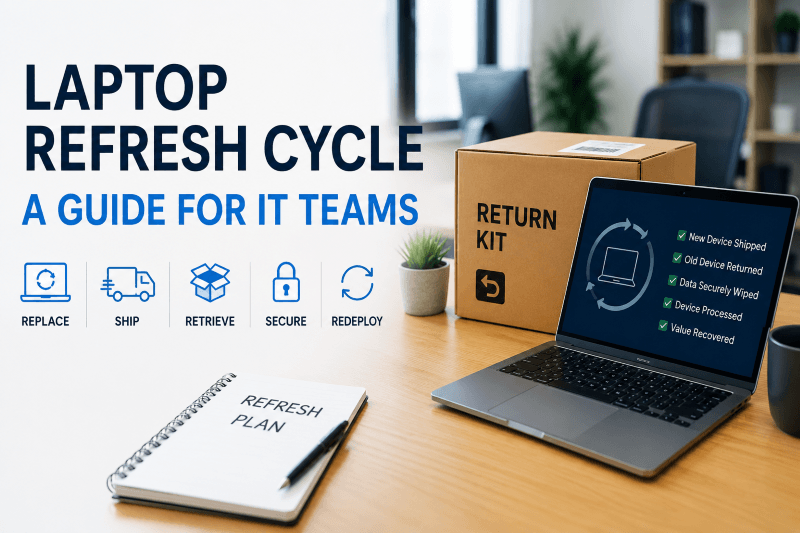
If you’ve ever managed a laptop refresh cycle across a remote workforce, you already know the hard part usually is not ordering the new laptops. It’s what happens after you receive them.
At first, the process sounds simple enough. Laptops start aging out, new devices get shipped out, employees swap machines, and IT moves on. In reality, refresh projects usually turn into a mix of shipping coordination, tracking spreadsheets, delayed returns, employee downtime, and old devices sitting unaccounted for longer than anyone expected.
Remote and hybrid work made the process even harder to manage. A refresh that used to happen inside one office now involves employees spread across different cities, states, and sometimes countries. Some employees ship old devices back the same day. Others let the return box sit unopened for a week. Meanwhile, IT teams are trying to keep refresh timelines moving while also tracking assets, maintaining security standards, and making sure employees are not stuck waiting on equipment.
For a lot of IT teams, laptop refreshes stopped being just a purchasing project a long time ago. Most refresh projects now involve procurement, direct-to-employee shipping, retrieval logistics, secure data destruction, redeployment planning, and figuring out what to do with aging hardware once devices come back.
Here’s what modern laptop refresh programs actually look like, where they usually break down, and how companies are making them easier to manage.
What Is a Laptop Refresh Cycle?
A laptop refresh cycle is the planned process of replacing employee laptops before the devices become unreliable, unsupported, or too expensive to maintain. Most companies refresh laptops somewhere between every 3 to 5 years, although the timeline usually depends on the type of work employees are doing and how heavily the devices are used.
For IT teams, the goal isn’t just to replace any old hardware. It’s avoiding the problems that start showing up when devices stay in circulation too long.
At a certain point, older laptops start causing more problems than they are worth. Batteries start to degrade, laptops freeze during meetings, and before you know it the warranty has already expired. Also, some devices can no longer support newer operating systems or security requirements properly. So it makes sense that most IT teams would rather replace devices proactively.
That is where a laptop replacement plan or Device Lifecycle Refresh (DLR) strategy comes in. Instead of replacing devices one at a time when something breaks, companies create a structured refresh process based on age, warranty status, performance, security requirements, or employee role.
For example, a company might refresh:
Engineering laptops every 3 years
Sales and operations laptops every 4 years
Shared or lightly used devices every 5 years
The challenge is that once refreshes start happening across hundreds or thousands of devices, the project quickly becomes much bigger than ordering new laptops. IT teams also have to think about shipping logistics, retrievals, device tracking, redeployment, secure data destruction, and what happens to the old hardware once employees receive their replacements.
Why Laptop Refresh Cycles Matter More in Remote Work Environments
Remote work changed how companies handle laptop refreshes. Gallup reports that 52% of remote-capable employees now work in hybrid environments while another 27% work fully remote. For IT teams, that means refresh projects are no longer happening inside a single office. Devices are moving between employees’ homes, offices, warehouses, and shipping carriers at the same time.
One of the biggest problems during remote laptop refreshes is visibility. Once devices are spread across hundreds of employees and locations, it gets much harder for IT teams to keep track of where everything is and what stage each device is in.
During larger refresh projects, laptops are constantly moving around. New devices are being shipped out while old ones are still waiting to come back. Some employees send their old laptop back immediately. Others need multiple follow-ups before the device finally gets returned. At any given point, there may be dozens or even hundreds of laptops sitting in transit between employees, warehouses, IT teams, and disposal facilities.
A lot of the work turns into keeping the entire refresh moving without delays or devices falling through the cracks. IT teams are managing shipments, tracking packages, updating inventory records, scheduling replacements, troubleshooting delivery issues, and making sure employees actually receive the correct devices. Small issues can slow things down quickly. Someone misses a delivery. A return label gets lost. A replacement laptop arrives late and now an employee is waiting to work.
The retrieval side creates its own problems too. IT teams still need to account for devices that may contain sensitive company data, even when those laptops are sitting unreturned somewhere outside the company’s direct control. The longer devices remain unreturned, the harder it becomes to maintain accurate inventory visibility during a refresh project.
That is why many companies have stopped handling refreshes as one-off replacement projects. Instead, they build repeatable workflows around shipping, retrievals, tracking, redeployment, and device handling so refreshes are easier to manage as teams scale.
Signs It’s Time to Replace Employee Laptops
Most IT teams can usually tell when a laptop fleet is starting to age out because the same issues start showing up over and over again. Those support tickets start to show up more. Employees complain about battery life and devices start freezing during meetings. Eventually this starts to become a pattern.
Warranty expiration is usually another big sign. Once devices fall outside their warranty window, repair costs become harder to justify. At a certain point, teams are spending more time fixing old laptops than makes sense.
You also start seeing bigger performance gaps across teams. Some employees are working on newer machines while others are trying to run the same applications on devices that are four or five years old. That gap becomes more noticeable over time, especially for engineering teams, designers, and employees running heavier workloads.
Then the compatibility problems start showing up. Older laptops may struggle to support newer operating systems, security updates, or company software requirements. Even if the devices technically still work, they may no longer meet the standards IT teams are trying to maintain across the organization.
A lot of companies also wait until refreshes become reactive instead of planned. A laptop suddenly fails, an employee cannot work, and IT has to rush through procurement, setup, and shipping just to get someone operational again. Those last-minute replacements usually create more downtime and more cost than a proactive refresh cycle would have in the first place.
That is why many IT teams build laptop replacement plans around device age, warranty timelines, repair history, and employee role instead of waiting for devices to completely fail.
What Most IT Teams Underestimate About Laptop Refresh Projects
Most laptop refresh projects look manageable in the beginning. A company orders new laptops, builds a replacement schedule, and assumes the process will run pretty smoothly once devices start going out. Then the refresh actually begins and one employee still has not returned their old laptop. Another needs help setting up a replacement device. Someone else missed a shipment because they were traveling. Meanwhile, IT is updating inventory records, answering employee questions, coordinating retrievals, and figuring out what devices are ready for redeployment, disposal, or secure wiping.
Once companies are dealing with hundreds of devices, small delays start piling up fast. A missed delivery or delayed return can affect redeployment timelines, inventory accuracy, and the rest of the refresh schedule.
Old device handling is another area companies often underestimate. Once employees receive replacement laptops, the older hardware still has to be accounted for, securely wiped, processed for redeployment or disposal, and removed from inventory systems. That work usually continues long after the new laptops have already been deployed.
This is usually the point where companies realize a successful laptop refresh depends just as much on process and coordination as it does on the hardware itself.
Real-World Laptop Refresh Scenarios: What the Process Looks Like at Different Company Sizes
Scenario 1: Mid-Size Technology Company (200–400 Employees, Fully Remote)
Situation: A 300-person SaaS company with a four-person IT team needs to refresh employee laptops across 28 states. Most employees are remote, so there is no central office where IT can distribute new devices and collect the old ones.
Challenge: The company previously handled laptop returns internally using emailed shipping labels and employee follow-ups. Only about 40% of old laptops were returned without repeated reminders, leaving IT to track down employees, monitor shipments, and manually update asset records while also managing the rollout of replacement devices.
Approach: Instead of treating deployment and retrieval as separate projects, IT moves to a coordinated laptop swap process. Replacement laptops are shipped directly to employees, while prepaid return kits for the old devices include protective packaging, return labels, and clear instructions. Automated reminders are sent until each return is completed, and IT tracks the replacement and returned device through one centralized workflow.
Outcome: With the return process built directly into the refresh, the company increases its laptop return rate from roughly 40% to more than 90%. The four-person IT team spends less time following up on individual returns, and the company completes the refresh several weeks faster than it could with manual coordination.
Scenario 2: Enterprise Healthcare Organization (1,000+ Devices, Compliance-Driven)
Situation: A healthcare organization needs to refresh 1,200 employee laptops across multiple facilities and remote locations. Because the devices may contain sensitive company and patient-related information, IT needs a documented process for recovering, tracking, and securely sanitizing every retired laptop.
Challenge: Coordinating more than 1,000 device swaps creates significant chain-of-custody and documentation requirements. IT needs to know which employees received replacement laptops, whether the old devices were returned, where each returned device is located, and whether data sanitization has been completed. Missing documentation could create gaps during a security or compliance audit.
Approach: The organization rolls out the refresh in phases rather than attempting all 1,200 replacements at once. Each replacement and return is tracked throughout the process, and returned laptops are securely wiped according to NIST 800-88 guidelines. Certificates of Data Destruction (CODDs) are generated to document completed sanitization, while devices are evaluated for redeployment, resale, or compliant disposal.
Outcome: By the end of the refresh, the organization has a documented disposition record for all 1,200 laptops, including return status, data sanitization, and final device disposition. Instead of reconstructing records after the project, IT has audit-ready documentation tied to each device throughout the refresh lifecycle.
Scenario 3: High-Growth Startup (Rapid Headcount Expansion, Mixed Refresh Needs)
Situation: A fast-growing startup expands from 50 to 220 employees in less than two years. At the same time, IT needs to refresh three-year-old laptops, deploy devices to new hires, and retrieve equipment from employees who are leaving the company.
Challenge: With devices constantly moving in and out of inventory, IT risks treating each event as a separate transaction. New laptops may be purchased for incoming employees even while usable devices are being returned from offboarded employees or replaced during the refresh. Without a coordinated process, the company can end up with excess hardware in some locations and unnecessary new-device purchases in others.
Approach: IT combines onboarding, offboarding, and laptop refreshes into a single device lifecycle workflow. Returned laptops are tracked, securely wiped, inspected, and evaluated for redeployment before additional equipment is purchased. Devices that still meet company standards are prepared for new hires or kept as replacement inventory, while equipment that has reached the end of its useful life moves to buyback, resale, or ITAD.
Outcome: By redeploying eligible returned laptops instead of automatically purchasing new devices, the company reduces new hardware purchases by an estimated 20–25% during the refresh period. IT also gains a clearer view of available inventory, making it easier to support continued headcount growth while managing refresh and offboarding needs at the same time.
How Laptop Refresh Complexity Scales With Team Size
The basic steps of a laptop refresh may be similar whether a company is replacing 50 devices or 2,000, but the operational complexity changes quickly as device volume increases.
| Refresh Size | Tracking | Return Coordination | Compliance Documentation | Typical Management Approach |
|---|---|---|---|---|
| ~50 devices | Each replacement and returned device should be tracked by employee, assignment, shipment status, and final disposition, whether through an IT asset management system or another centralized tracking process. | Prepaid return kits, clear employee instructions, shipment tracking, and consistent follow-ups help keep returns moving without requiring IT to coordinate each device manually. | Secure wiping and disposition records should be documented consistently, particularly when devices contain sensitive company or customer data. | Companies may manage the refresh internally or use a managed service to reduce the time IT spends on shipping, returns, employee follow-ups, tracking, and device processing. |
| ~500 devices | Centralized asset tracking becomes increasingly important as hundreds of replacement and returned devices move between employees, carriers, warehouses, and processing locations. | Standardized return kits, shipment tracking, automated reminders, and centralized employee communication can significantly reduce manual coordination and follow-up. | Secure data sanitization, Certificates of Data Destruction, chain-of-custody records, and final disposition documentation require a consistent process across the refresh. | A managed service can reduce the coordination burden on internal IT while providing centralized tracking, standardized returns, and documented device processing at scale. |
| 2,000+ devices | IT needs centralized visibility into device assignments, deployments, shipments, returns, inventory, processing status, and final disposition across the entire refresh program. | Coordinating thousands of deployments and returns requires standardized workflows, automated employee communication, shipment tracking, exception management, and a clear process for unresolved returns. | Chain-of-custody records, data sanitization documentation, Certificates of Data Destruction, and final disposition records need to be maintained consistently across thousands of devices. | A managed device lifecycle or logistics service is often the most practical way to coordinate deployments, returns, tracking, documentation, and final disposition at this scale. |
As refresh volume grows, the challenge is not simply shipping more laptops. Each additional device creates another deployment, return, tracking record, employee communication, data sanitization event, and final disposition decision. Even a 50-device refresh can create a significant administrative workload, while refreshes involving hundreds or thousands of devices make centralized tracking, automation, standardized workflows, and consistent documentation increasingly important.
What a Modern Device Lifecycle Refresh (DLR) Process Looks Like
The companies that usually handle laptop refreshes the best are not rebuilding the process every time devices need to be replaced. They already have a repeatable workflow behind it.
Procure and Prepare the New Devices
Most refresh projects start with procurement and device preparation. Some companies buy laptops directly from manufacturers while others work with vendors that can help source, configure, and prepare devices before they are shipped out.
Before a replacement laptop reaches an employee, IT usually still has a list of things that need to happen first. Devices need to be imaged, security settings applied, company software installed, inventory records updated, and laptops assigned to the correct employees. Once refreshes start happening at larger scale, even basic prep work can start eating up a lot of time.
Ship the Replacement Laptop to the Employee
Once the devices are ready, the next step is getting them to employees without disrupting work. For remote teams, that usually means shipping laptops directly to employees instead of routing everything through a central office. Timing matters here. If a replacement laptop shows up late or setup instructions are unclear, employees can end up losing hours of productivity pretty quickly.
A lot of companies now try to make sure the replacement laptop arrives before the employee is expected to return the old one. That gives employees time to move files over, log back into applications, and get set up before sending the older device back.
Include a Return Kit for the Old Laptop
The return process is where a lot of refresh projects start breaking down. If employees have to find their own box, print their own label, or figure out shipping themselves, returns tend to slow down fast. The easier the process is for employees, the better the return rates usually are.
That is why many companies now include prepaid return labels, instructions, and packaging materials with the replacement laptop itself.
Retriever, for example, ships replacement devices (as soon as the very next morning) with prepaid return kits so employees can send old laptops back using the same packaging. That removes a lot of the extra coordination that normally happens during refresh projects.
Retrieve, Wipe, and Process the Old Device
Once old laptops are returned, there is still a lot of work left to do. Returned devices still need to be tracked, inspected, securely wiped, and processed properly before they can be redeployed, recycled, or disposed of.
Retriever helps companies manage that process by securely wiping returned devices using NIST 800-88 and DoD-compliant data destruction standards before issuing Certificates of Data Destruction (CODDs) for compliance and audit purposes. Without proper documentation and chain of custody, old laptops can quickly turn into a security problem instead of just an inventory problem.
Redeploy, Dispose, or Recover Value From Old Devices
Not every returned laptop needs to be thrown away immediately. Some devices can still be redeployed internally, used as backup inventory, or reassigned to new employees after they are wiped and processed. Retriever, for example, can warehouse returned devices so they are ready for redeployment when new employees need equipment.
Other laptops may no longer fit company standards but still hold resale value through buyback programs. Retriever also offers guaranteed buyback credits or cash payouts so companies can recover value from older hardware instead of simply disposing of it.
A lot of companies now plan for warehousing/redeployment, recycling, and buyback much earlier in the refresh process instead of figuring out what to do with old hardware after the fact.
Why Laptop Swapping Programs Are Becoming More Common
A lot of companies have moved toward laptop swap programs because they reduce downtime during refreshes. Instead of asking employees to return their old laptop first and wait for a replacement, the new device arrives before the older one is sent back. That gives employees time to transfer files, sign back into applications, and get comfortable with the replacement device before shipping the old hardware out.
For remote teams especially, it usually makes the refresh process a lot easier to manage. Employees are less likely to end up stuck without a working device, and IT teams spend less time dealing with urgent replacement issues caused by shipping delays or failed hardware.
Swap programs also tend to improve return rates. Employees are usually more responsive once they already have the replacement device in hand, which helps refresh projects move faster overall.
But swap programs can still get messy without a solid return process behind them. Without clear return deadlines, tracking, and follow-up processes, old devices can still end up sitting unreturned long after the replacement laptop has already been delivered.
That is one reason companies often pair laptop swap programs with retrieval workflows that include prepaid return kits, tracking visibility, and automated reminders. Retriever, for example, helps companies manage both sides of the swap process so replacement devices go out while older laptops are still actively being tracked back through the return workflow.
Security and Compliance Risks During Laptop Refreshes
Laptop refresh projects are not just hardware projects. They also create security and compliance risks that IT teams have to account for throughout the entire process.
One of the biggest issues is visibility. Once devices start moving between employees, shipping carriers, warehouses, and disposal facilities, it becomes harder to maintain a clear chain of custody if the process is not being tracked carefully.
Unreturned laptops create another major risk. Even if an employee is no longer with the company, the device may still contain company data, saved credentials, internal documents, or access to business applications. The longer a laptop remains unreturned, the harder it becomes to know where that device is and whether company data is still secure.
The financial impact of security incidents can be significant too. IBM’s Cost of a Data Breach Report found the global average cost of a data breach reached $4.88 million in 2024. While not every lost or unreturned laptop leads to a breach, unmanaged devices still create unnecessary security exposure.
Older devices can also create security problems before they are even replaced. Aging laptops may no longer support the latest operating systems, security patches, or endpoint management requirements. IT teams then end up trying to maintain security standards across devices that were never designed to support newer security controls in the first place.
Old device handling matters too. If laptops are not wiped properly before leaving inventory, companies can expose themselves to unnecessary compliance and data security risks. That is why many organizations require documented wiping procedures and Certificates of Data Destruction (CODDs) before devices are redeployed, recycled, or disposed of.
Retriever helps companies manage that process by maintaining visibility throughout the return workflow and issuing Certificates of Data Destruction (CODDs) once devices are securely processed. That gives IT teams documentation showing devices were properly handled instead of relying on spreadsheets or manual tracking alone.
For most IT teams, the goal is not just getting old laptops back. It is making sure those devices are accounted for, processed correctly, and securely removed once the refresh is finished.
Frequently Asked Questions About Laptop Refresh Cycles
How often should companies replace employee laptops?
Most companies replace employee laptops every 3 to 5 years, but the ideal refresh cycle depends on the employee’s role, device performance, warranty coverage, security requirements, and the cost of maintaining older hardware. Engineering, design, and other high-performance teams may need new devices sooner because their workloads place greater demands on processors, memory, and storage. Rather than using age alone, IT teams should also monitor performance issues, repair frequency, warranty expiration, and whether older devices still meet current security standards.
What is a device lifecycle refresh (DLR)?
A Device Lifecycle Refresh (DLR) is the planned process companies use to replace aging employee laptops and other IT equipment before devices fail or become difficult to support. A typical DLR program can include procurement, configuration and deployment of replacement devices, retrieval of old equipment, inventory tracking, secure data wiping, redeployment, resale, and IT asset disposition. Managing these steps as one coordinated lifecycle process helps IT teams maintain better control over devices while reducing disruption for employees.
What happens to old employee laptops after a refresh?
After a laptop refresh, old devices are typically returned, tracked, securely wiped, and evaluated based on their condition, age, and remaining value. Devices that still meet company standards may be redeployed to another employee or kept as replacement inventory, while older equipment may be sold through a buyback program, recycled, or sent through an IT asset disposition (ITAD) process. Companies should also document data sanitization and update asset records so retired laptops do not remain incorrectly assigned or unaccounted for.
How do companies handle remote laptop refreshes?
Companies typically handle remote laptop refreshes by shipping replacement devices directly to employees and coordinating the return of the old equipment from each employee’s location. A laptop swap program can include a prepaid return kit, shipping label, packing instructions, reminders, and tracking so the employee receives the new laptop before returning the older device. This approach helps minimize employee downtime while giving IT teams visibility into which replacement devices have been delivered and which old laptops are still awaiting return.
Why are laptop refresh projects difficult to manage?
Laptop refresh projects involve much more than purchasing and replacing hardware, particularly when employees work across multiple offices or remotely. IT teams may need to coordinate replacement shipments, old-device retrievals, inventory records, employee communication, secure device handling, data sanitization, redeployment, and disposal at the same time. As the number of devices increases, missed returns or incomplete tracking can create inventory, security, and compliance problems, making centralized coordination an important part of a large-scale refresh.
What is a Certificate of Data Destruction (CODD)?
A Certificate of Data Destruction (CODD) is documentation confirming that data stored on a laptop or other storage device has been securely destroyed or sanitized. It typically creates a record identifying the processed device and confirming that the required data destruction procedure was completed. Companies may use CODDs to support security policies, compliance requirements, audit documentation, and chain-of-custody records when laptops are redeployed, sold, recycled, or otherwise removed from active inventory.
What are the risks of employees not returning old laptops?
Unreturned laptops can create financial, security, and operational risks during a device refresh. The equipment may still contain company data, saved credentials, internal files, customer information, or access to business applications, while the missing hardware also creates gaps in IT asset records. When devices are not recovered promptly, companies may lose the opportunity to redeploy or resell them and may need to spend additional money replacing equipment that should have been returned.
How do laptop swap programs work?
In a laptop swap program, the replacement laptop is shipped to the employee before the older device is returned. The employee can set up the new laptop, transfer necessary files or settings, and confirm that the replacement is working before packing and returning the old equipment, typically using a prepaid return kit and shipping label. IT can then track the outgoing and returning devices through the refresh process, reducing employee downtime while maintaining visibility into equipment that still needs to be recovered.
Can companies recover value from retired laptops?
Yes. Retired laptops can retain resale value even when they no longer meet a company’s performance or lifecycle standards. Instead of automatically recycling or disposing of these devices, companies can evaluate them for resale or use a buyback program to recover cash or credits based on the equipment’s age, model, condition, and market value. Recovering residual value from retired hardware can help offset some of the cost of future device purchases while ensuring equipment that cannot be reused internally has a defined disposition path.
What is the average cost of a laptop refresh per employee?
The cost of a laptop refresh per employee can vary significantly depending on the device, shipping, configuration, IT labor, retrieval, secure data destruction, and what happens to the old hardware. A planned refresh can also reduce costs that are harder to quantify, such as emergency replacement shipping, employee downtime, repeated repairs, and IT time spent coordinating individual replacements. Companies should look at the total lifecycle cost of the refresh rather than just the purchase price of the new laptop.
What NIST standards apply to laptop data destruction?
NIST Special Publication 800-88 provides guidelines for securely sanitizing data from laptops and other storage devices before they are reused, redeployed, sold, recycled, or disposed of. The appropriate sanitization method depends on the type of storage media, its condition, and what will happen to the device next. Companies often document completed data destruction with a Certificate of Data Destruction (CODD) to maintain records for security, compliance, and audit purposes.
How do IT teams track devices during a large-scale laptop refresh?
IT teams typically track devices during a large-scale laptop refresh using an IT asset management system, dedicated asset tracking platform, managed service provider, or, for smaller projects, spreadsheets. Tracking should cover both the replacement and outgoing device, including who each laptop is assigned to, shipment and return status, device condition, and whether the returned hardware has been wiped, redeployed, sold, or disposed of. As refresh projects grow, centralized tracking becomes increasingly important because hundreds or thousands of devices may be moving between employees, carriers, warehouses, and processing facilities at the same time.
What is IT asset disposition (ITAD) and when does it apply?
IT asset disposition (ITAD) is the process of securely and responsibly handling technology that a company no longer plans to keep in active use. During a laptop refresh, ITAD may include data sanitization, documentation, resale, recycling, and final disposal of retired devices. ITAD generally applies when a returned laptop is no longer suitable for internal redeployment or storage and needs to leave the company's active inventory. A structured ITAD process helps companies protect sensitive data, maintain disposal records, meet applicable compliance requirements, and recover residual value from equipment when possible.
Building a More Manageable Laptop Refresh Process
The companies that usually handle laptop refreshes the best are not necessarily the ones buying the most expensive hardware. They are usually the ones with a clear process behind how devices move through deployment, retrieval, redeployment, and retirement.
Once refresh projects start scaling across remote teams, even small gaps in coordination can create delays, inventory problems, security risks, and unnecessary workload for IT. That is why many companies now treat laptop refreshes as an ongoing operational process instead of a one-time hardware project.
Retriever helps companies manage that process by supporting procurement, direct-to-employee shipping, retrievals, secure device processing, redeployment, and buyback recovery through a centralized refresh workflow. The goal is not just getting new laptops into employees’ hands. It is helping IT teams manage refreshes without having to rebuild the process every time devices need to be replaced.
If your team is planning an upcoming laptop refresh, Retriever can help manage the shipping, retrieval, secure processing, and redeployment workflows behind the process.