
How Computer Shipping Services Support Remote Device Management in 2026
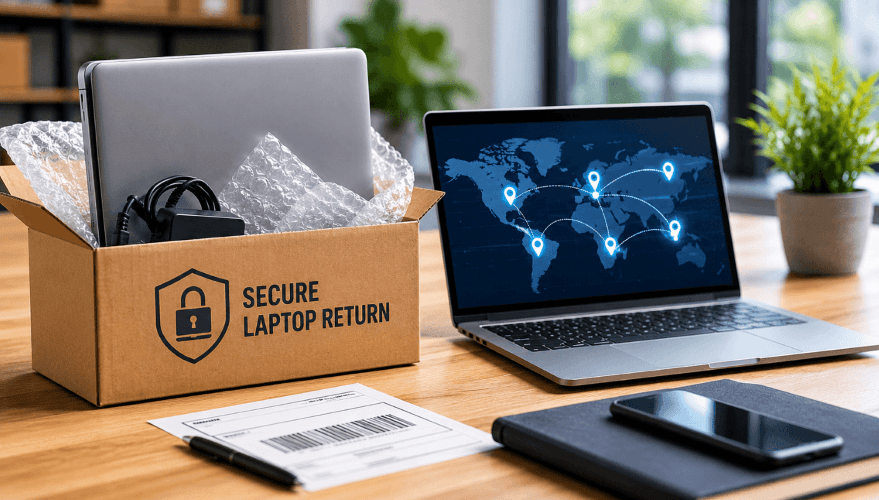
Remote work didn’t just change where employees work. It changed how companies manage their equipment. When most employees worked in the office, IT could hand out laptops in person, collect them during offboarding, and usually keep track of where devices were and who had them.
That’s no longer the case. Company laptops now move constantly between employees, homes, offices, warehouses, and repair centers. Devices are shipped to new hires, returned during offboarding, repaired, reassigned, and moved between employees across distributed teams.
IT teams now have to manage shipment tracking, employee communication, return timelines, chain of custody, and secure handling across every stage of the device return process.
As remote and hybrid workforces grew, computer shipping services evolved with them. Many companies now use specialized providers to manage laptop retrievals, warehousing, redeployment, and secure device disposal.
In this guide, we’ll break down how computer shipping services work behind the scenes and why they’ve become an important part of managing remote equipment at scale.
Key Terms: Computer Shipping and Device Lifecycle Management
Computer shipping services help organizations retrieve, track, redeploy, store, and dispose of company-owned devices throughout the IT asset lifecycle. In addition to transportation logistics, these services often support chain-of-custody tracking, data security, asset recovery, and compliance requirements. The following definitions explain several common terms used in computer shipping, remote device management, and IT asset operations.
Chain of Custody (IT Asset Management)
Chain of custody is the documented, timestamped record of every person, location, and system that handled a device from issuance through final disposition. An unbroken chain of custody helps organizations demonstrate that company-owned equipment and data remained secure throughout the device lifecycle.
NIST 800-88 Data Erasure
NIST 800-88 is a U.S. government standard that defines approved methods for sanitizing data stored on electronic devices. Organizations commonly use NIST 800-88-compliant processes to securely erase laptops before redeployment, resale, or disposal.
Device Lifecycle Management
Device lifecycle management is the process of tracking and managing company-owned hardware from procurement and deployment through retrieval, redeployment, and final disposal. Effective lifecycle management helps organizations improve asset visibility, reduce unnecessary purchases, and maintain compliance.
Managed Laptop Retrieval
Managed laptop retrieval is a vendor-coordinated device return process that provides employees with return packaging, prepaid shipping labels, tracking, and support throughout the return process. Managed retrieval reduces administrative work for IT teams and helps improve device recovery rates.
Remote Device Retrieval
Remote device retrieval is the process of recovering company-owned laptops and equipment from employees, contractors, or other users outside of a corporate office. Retrieval programs typically include shipping logistics, tracking, employee communications, and centralized intake processing.
IT Asset Management (ITAM)
IT asset management (ITAM) is the practice of tracking, maintaining, and optimizing technology assets throughout their operational life. ITAM programs help organizations maintain accurate inventory records, improve utilization, and support compliance requirements.
Asset Offboarding
Asset offboarding is the process of recovering, tracking, securing, and documenting company-owned equipment when an employee leaves an organization. Effective offboarding helps reduce asset loss, maintain inventory accuracy, and protect sensitive company data.
Certificate of Data Destruction
A Certificate of Data Destruction is a formal record confirming that data stored on a device has been securely erased or destroyed. These certificates are commonly used to support audit, compliance, and regulatory documentation requirements.
Redeployment Preparation
Redeployment preparation refers to the steps required to make a returned device ready for reassignment. This process may include inspection, cleaning, repair, secure data erasure, operating system installation, asset tagging, and quality testing.
What Computer Shipping Services Actually Handle
Shipping the laptop is usually the easy part. When an employee leaves a company, someone still has to coordinate the return, send packaging materials, provide instructions, track the shipment, follow up if the laptop is delayed, confirm it was received, and decide what happens to the device afterward.
In smaller environments, IT teams often manage this manually. But once remote teams grow, keeping track of returns across dozens or hundreds of employees can become time-consuming very quickly.
That’s why many companies use computer shipping services to help manage the process. Depending on the provider, that can include employee return kits, prepaid labels, shipment tracking, return reminders, and updates while equipment is in transit.
Receiving the laptop is usually not the end of the workflow. Returned devices may need to be inspected, repaired, securely wiped, stored for redeployment, reassigned to another employee, or retired altogether.
For many IT departments, the biggest benefit is having a more organized way to manage remote equipment instead of juggling spreadsheets, shipping portals, and manual follow-ups.
Why Remote Offboarding Creates Equipment Recovery Problems
Recovering company equipment becomes much harder once employees are no longer working from a central office. In a remote environment, departing employees may be located across different cities, states, or countries. Some leave with very little notice. Others stop responding after their last day. At the same time, IT teams are often handling account deactivation, access removal, replacement devices for new hires, and the logistics of getting company equipment returned.
Without a structured retrieval process, devices often sit unreturned for weeks. Shipping labels get lost, return instructions are missed, packages are delayed, and IT teams end up manually following up with former employees just to recover company property.
That’s one reason many companies now use computer shipping and retrieval services during offboarding. Services may include employee return kits, prepaid shipping labels, automated reminders, shipment tracking, and return status updates.
For many IT departments, the hardest part is not shipping the laptop itself. It’s keeping the return process organized while devices are moving between employees, homes, shipping carriers, and company facilities.
Real-World Implementation Scenarios: How Companies Solve Equipment Management Challenges
Rapid Scale-Down Scenario: Recovering 150 Laptops During a Workforce Reduction
Company Profile
A U.S.-based SaaS company with approximately 500 employees needed to recover roughly 150 laptops and accessories within 30 days following a remote workforce reduction across multiple states.
Operational Challenge
The company needed a repeatable process for recovering laptops quickly while minimizing manual follow-ups from IT and HR teams. Leadership also needed better visibility into which devices had been returned, which were still in transit, and which employees required escalation follow-up.
Previous Process Limitations
Before implementing a managed retrieval process, employees were responsible for sourcing their own shipping materials and printing return labels. IT teams tracked returns through spreadsheets and email chains.
During a previous reduction event:
only about 60% of laptops were returned within the first 30 days
approximately 18–20 devices remained unresolved after 45 days
several laptops arrived damaged due to poor packaging
IT staff spent an estimated 25–30 hours per week manually coordinating return logistics
IT and HR teams exchanged more than 300 follow-up emails during a four-week period attempting to reconcile outstanding devices
replacement purchases increased because many recovered devices could not be redeployed quickly enough for incoming hires
Implementation Approach
The company implemented a managed laptop retrieval workflow that included:
padded laptop-sized return kits
prepaid shipping labels
automated reminder emails
centralized shipment tracking
and direct routing to a processing facility
Each shipment was tied directly to the employee record, allowing HR and IT teams to monitor return status from shipment delivery through final device intake.
Measurable Operational Outcomes
Within 21 days, the company recovered approximately 98% of affected equipment.
Operational review found:
average return timelines dropped from roughly 35 days to 12 days
unresolved assets decreased from approximately 18–20 devices to fewer than 3 after 30 days
manual IT coordination time decreased by approximately 75%
shipping-related damage claims declined significantly due to standardized packaging
more than 100 recovered laptops were successfully reimaged and redeployed
incoming employees received reassigned laptops faster because recovered devices moved through intake more quickly
The company also reduced average redeployment preparation time from roughly 7 business days to approximately 48 hours through centralized intake processing.
ROI / Operational Impact
Internal estimates showed approximately $55,000–$70,000 in avoided replacement hardware purchases and reduced labor costs during the first workforce reduction cycle after implementation.
The company also reduced emergency laptop procurement for incoming employees because recovered devices were cleaned, reimaged, and reassigned within approximately 48 hours of intake.
Compliance and Security Outcomes
Centralized tracking created a documented chain of custody from shipment delivery through device intake. Returned devices were immediately routed into controlled inspection, wipe, and redeployment workflows rather than sitting unprocessed in office storage areas.
Cost-Benefit Analysis Example: Managed Shipping vs Employee Self-Shipping
Company Profile
A financial services company managing approximately 200 remote employee offboardings annually conducted an internal operational review comparing employee self-shipping against a centralized computer shipping and retrieval process.
Operational Challenge
The company wanted to reduce equipment loss, improve return timelines, lower shipping-related damage claims, and decrease the amount of IT labor spent managing return coordination.
Previous Process Limitations
Under the previous model, employees were responsible for:
sourcing shipping boxes
printing return labels
packaging devices themselves
and sending tracking information back to IT
This process created inconsistent return timelines and high administrative overhead.
Internal review found:
IT teams spent roughly 20–25 hours per month coordinating returns manually
recovery timelines regularly exceeded 30 days
device recovery rates averaged approximately 68%
shipping-related damage claims occurred several times per quarter due to inconsistent packaging
replacement purchases increased due to delayed or missing returns
and onboarding timelines were frequently delayed while teams waited for replacement hardware
The company estimated that combined labor costs, replacement hardware exposure, delayed redeployment, and shipping inefficiencies averaged approximately $200–$250 per offboarding event.
Implementation Approach
The company implemented a managed shipping workflow that included:
preconfigured laptop return kits
prepaid labels
automated reminder communications
centralized tracking
and direct shipment routing to a processing facility
Recovered devices were inspected, reimaged, and prepared for redeployment immediately upon intake.
Measurable Operational Outcomes
Following implementation:
device recovery rates increased from approximately 68% to 96%
average operational recovery costs dropped from approximately $200–$250 per offboarding event to roughly $85–$110 per completed recovery
IT coordination time decreased by an estimated 70%
shipping-related damage claims declined substantially due to standardized packaging
average recovery timelines fell from more than 30 days to approximately 10–14 days
recovered laptops were typically cleaned, reimaged, and reassigned to incoming employees within 48 hours of intake
The company also reduced onboarding delays because recovered laptops became available for redeployment faster instead of waiting for new procurement cycles.
ROI / Operational Impact
Annual operational review estimated more than $45,000 in avoided costs tied to:
recovered hardware value
reduced replacement purchases
lower manual labor requirements
reduced shipping-related damage
and fewer delayed onboarding situations
The company also reduced the amount of inactive equipment remaining in employee possession after offboarding deadlines.
Compliance and Security Outcomes
Centralized intake improved accountability surrounding:
asset recovery
shipment tracking
intake verification
and final device disposition documentation
Compliance Use Case: Maintaining Chain of Custody for Regulated Device Returns
Company Profile
A healthcare organization with approximately 1,800 employees needed a more controlled process for recovering laptops used by remote billing staff, telehealth coordinators, and administrative employees handling sensitive patient information.
Operational Challenge
The organization needed to improve chain-of-custody documentation, standardize device handling procedures, reduce audit preparation time, and decrease the number of unmanaged devices sitting in offices awaiting disposition decisions.
Previous Process Limitations
Before centralizing the process, returned devices were shipped back to individual office locations without standardized intake procedures or centralized tracking.
Internal compliance review identified:
inconsistent asset documentation
incomplete return records
gaps in secure disposal verification
limited visibility into device status after employee separation
delays in reconciling device disposition records during audits
and unmanaged devices remaining in office storage areas for weeks before inspection or wipe procedures began
Average device recovery timelines frequently exceeded 40 days.
Implementation Approach
The organization implemented a centralized recovery and processing workflow.
Each returned laptop was:
scanned upon arrival
tied to a shipment tracking record
inspected and logged
securely wiped using documented erasure procedures
and classified for redeployment or certified disposal
Certificates of Data Destruction were automatically generated and stored alongside shipment and asset records.
Measurable Operational Outcomes
After implementation:
documented chain-of-custody coverage reached 100% across processed returns
average recovery timelines dropped from more than 40 days to approximately 14 days
audit preparation shifted from multiple days of spreadsheet reconciliation to same-day reporting access
fewer devices remained unprocessed in office storage locations
reusable recovered devices moved through intake and redeployment faster through centralized workflows
average disposition processing timelines decreased from multiple weeks to approximately 3–5 business days after device arrival
ROI / Operational Impact
Operational review found that centralized processing reduced audit preparation and reconciliation work from multiple days of manual spreadsheet review to centralized same-day reporting access while also lowering replacement purchasing pressure through increased redeployment of recovered hardware.
The organization also reduced the labor associated with gathering shipment, disposition, and destruction documentation during internal compliance reviews and external audit requests.
Compliance and Security Outcomes
The organization established consistent documentation surrounding:
shipment tracking
intake verification
secure data destruction
and final asset disposition
Centralized processing also improved alignment with internal security policies, HIPAA-related device handling procedures, and audit documentation requirements.
Technical Infrastructure Behind Professional Computer Shipping Services
Chain of Custody and Device Tracking
Enterprise computer shipping workflows typically rely on centralized tracking infrastructure designed to log every device movement throughout retrieval, redeployment, and disposal workflows.
Once a retrieval is initiated, shipment records are commonly tied directly to employee records, device serial numbers, asset tags, and shipment identifiers inside centralized tracking systems.
As devices move through the return process, barcode scans and shipment checkpoint updates generate timestamped system records tied to the device serial number, shipment identifier, employee record, physical location, and operational status.
These logged operational events may include:
shipment creation timestamps
package handoff confirmation
carrier acceptance scans
transit checkpoint updates
warehouse intake scans
inspection verification
wipe-status confirmation
redeployment classification
and final disposition records
In many enterprise workflows, chain-of-custody records are maintained from the moment a return kit is delivered through final device intake and processing. This creates a documented operational history showing when the device moved, where it was scanned, who handled it, and which lifecycle status changes occurred throughout the workflow.
Tamper-evident packaging, barcode-based shipment identification, serialized asset tracking, and intake verification checkpoints also reduce situations where devices arrive without clear ownership records or incomplete return documentation.
Some organizations additionally maintain operational lifecycle mapping tied to device states such as:
deployed
retrieval initiated
label generated
in transit
received
pending inspection
wipe in progress
redeployment ready
certified for disposal
and disposition completed
Asset-state transitions are commonly logged automatically as devices move between retrieval, intake, wipe, redeployment, and disposition workflows.
This infrastructure gives IT teams centralized visibility into device movement and operational status throughout the return lifecycle instead of relying on disconnected spreadsheets, carrier portals, and manually updated inventory records.
API Integrations and IT Asset Management Systems
Many enterprise computer shipping workflows are connected directly to IT asset management systems, HR platforms, and device lifecycle management tools through API-based integrations.
Instead of manually updating inventory records throughout the return process, RESTful APIs can automatically synchronize shipment activity, asset status changes, intake records, and disposition updates between shipping platforms and systems such as:
ServiceNow
Jamf
Microsoft Intune
Workday
Okta
Jira
and internal inventory databases
For example, when an employee termination is initiated inside Workday, an API workflow can automatically trigger a laptop retrieval request, generate a prepaid return shipment, assign tracking information to the employee record, and update the device status inside ServiceNow or an internal asset management platform.
As shipment checkpoints occur, automated status transitions may move devices between operational states such as:
deployed
retrieval requested
label generated
in transit
received
under inspection
pending wipe
redeployment ready
or disposal completed
Automated status synchronization eliminates large portions of manual inventory reconciliation across distributed device fleets.
Some organizations also use API integrations to automatically trigger downstream operational workflows tied to:
redeployment preparation
onboarding allocation
asset reassignment
secure wipe verification
disposal authorization
and audit documentation generation
Centralized dashboards often consolidate shipment events, intake processing, asset status changes, wipe verification, and disposition records into a single operational reporting environment.
Centralized integrations also improve reporting accuracy by consolidating shipment activity, asset movement, intake processing, and disposition records into a unified operational workflow.
Security Protocols and Data Protection Measures
Professional computer shipping services often incorporate multiple security controls designed to reduce risks associated with remote equipment handling, transportation, storage, redeployment, and disposal.
Before devices are reassigned or retired, many organizations require certified data destruction workflows aligned with standards such as NIST 800-88.
Secure wipe procedures are commonly documented through verification records tied directly to the device serial number, asset tag, shipment history, and disposition workflow.
In many enterprise environments, returned devices move through controlled intake procedures that include:
intake scanning
serial-number verification
inspection confirmation
secure storage staging
wipe-status documentation
redeployment classification
and destruction authorization controls
Organizations handling regulated data often maintain documented proof-of-destruction records and Certificates of Data Destruction tied directly to shipment history and final disposition records.
To reduce transportation and handling risks, some enterprise workflows incorporate:
encrypted shipment tracking systems
restricted-access storage areas
GPS-monitored transportation routes
handler verification procedures
chain-of-custody checkpoints
and controlled warehouse intake processes
These controls are commonly implemented to support HIPAA, SOX, GLBA, GDPR, and internal audit requirements tied to remote device handling and data protection.
By centralizing device intake, wipe verification, and disposition documentation, organizations can maintain more consistent audit records and stronger accountability surrounding remote equipment handling compared to informal employee return workflows.
Packaging Standards and Transit Protection
Packaging infrastructure plays a significant role in reducing shipping-related device damage and maintaining operational consistency across large-scale retrieval workflows.
Professional laptop return kits are typically standardized around device size, transit protection requirements, shipment tracking compatibility, and intake processing requirements.
Many enterprise retrieval programs use laptop-sized return kits containing:
protective foam inserts
padded interior protection
tamper-evident seals
prepaid return labels
barcode-linked shipment identifiers
and standardized device return instructions
Standardized packaging reduces inconsistencies that commonly occur when employees source their own boxes and packing materials during self-managed returns.
Some enterprise workflows also incorporate:
insurance coverage thresholds
signature-confirmation requirements
temperature-controlled transportation procedures
high-value asset handling protocols
and regulated shipment controls for sensitive equipment
During warehouse intake, returned devices may move through inspection workflows designed to identify:
physical damage
missing accessories
packaging failures
serial-number mismatches
and shipment exceptions before redeployment or disposal processing begins
Centralized packaging standards also improve operational consistency by ensuring returned devices move through repeatable intake, inspection, wipe, redeployment, and disposal workflows instead of relying on inconsistent employee-managed shipment preparation.
What IT Teams Should Look for in a Computer Shipping Service
Not all computer shipping services operate at the same level of operational maturity. Some providers only generate shipping labels, while others manage retrieval coordination, device intake, redeployment workflows, inventory tracking, secure disposal, and chain-of-custody documentation across the full device lifecycle.
For IT teams managing remote employees at scale, the operational infrastructure behind the service often matters more than the shipment itself.
Centralized Tracking and Chain-of-Custody Visibility
One of the biggest operational problems with manual laptop returns is fragmented tracking. Shipment updates may live across spreadsheets, carrier portals, email chains, and disconnected inventory systems, making it difficult to understand which devices are still outstanding and which have already been processed.
Many enterprise IT teams look for centralized tracking systems that consolidate:
shipment status updates
employee return activity
intake verification
redeployment status
wipe verification
and final disposition records
into a single operational workflow.
Chain-of-custody visibility is especially important for organizations managing regulated data, high-value hardware, or large remote device fleets. Some providers maintain timestamped tracking records tied directly to device serial numbers, shipment identifiers, intake scans, and disposition events throughout the return process.
Automated Retrieval Coordination
At scale, manual laptop return coordination can quickly become difficult to manage consistently.
Many IT teams evaluate whether a provider supports:
automated reminder workflows
employee return instructions
prepaid return labels
shipment tracking notifications
escalation workflows
and centralized return status updates
Automated reminder workflows and centralized tracking reduce manual coordination during high-volume offboarding periods while improving retrieval consistency across distributed employees.
Some providers also support direct routing workflows that send returned devices to centralized processing facilities instead of individual office locations, reducing delays tied to intake, inspection, and redeployment preparation.
Some organizations also evaluate escalation response times and operational support availability during large-scale retrieval events involving hundreds of devices.
Redeployment and Warehousing Capabilities
For many organizations, retrieving the laptop is only one part of the workflow. Returned devices often need to be inspected, cleaned, repaired, reimaged, staged for onboarding, reassigned to another employee, or retired altogether.
Because of this, many IT teams evaluate whether a provider supports:
centralized warehousing
redeployment preparation
intake processing
device inspection workflows
asset staging
and redeployment tracking
Organizations managing large refresh projects or frequent employee turnover often prioritize providers that can reduce redeployment turnaround times and move recovered devices back into inventory quickly.
As remote device fleets scale across multiple offices, states, and countries, centralized lifecycle coordination becomes increasingly important for maintaining inventory visibility and redeployment consistency.
API Integrations and Asset Management Synchronization
Enterprise IT teams often look for computer shipping services that integrate directly with IT asset management systems and HR platforms.
Some providers support API-based integrations with platforms such as:
ServiceNow
Jamf
Microsoft Intune
Workday
Okta
and internal inventory systems
These integrations can automatically synchronize retrieval requests, shipment tracking activity, intake processing updates, and asset status changes across multiple operational systems.
For organizations managing large remote device fleets, integration support reduces manual inventory reconciliation and improves reporting consistency throughout the device lifecycle.
Security Controls and Compliance Support
Organizations handling regulated data often require stricter controls surrounding device handling, shipment tracking, secure storage, and data destruction procedures.
Some computer shipping providers support:
documented chain-of-custody workflows
secure wipe verification
NIST 800-88 data destruction procedures
Certificates of Data Destruction
audit reporting
and controlled intake processing environments
Security controls may also include:
restricted-access storage
serialized asset tracking
encrypted shipment tracking systems
and controlled disposition workflows
For regulated organizations, these controls often become embedded directly into internal audit, compliance, and device disposition workflows.
Standardized Packaging and Damage Prevention
Inconsistent packaging is one of the most common causes of shipping-related device damage during employee-managed returns.
Many IT teams evaluate whether providers use:
laptop-sized return kits
protective foam inserts
padded packaging
tamper-evident seals
barcode-linked shipment labels
and standardized return instructions
Standardized packaging workflows reduce inconsistencies tied to employee self-shipping while helping organizations maintain more consistent intake and redeployment processes across remote employees.
Reporting, Auditability, and Lifecycle Visibility
As remote device fleets grow, many organizations prioritize providers that support centralized reporting and operational visibility across the full device lifecycle.
Some platforms consolidate:
shipment tracking
intake verification
redeployment status
wipe confirmation
inventory movement
and final disposition records
into centralized dashboards and reporting environments.
Some organizations also evaluate average intake processing timelines, redeployment turnaround times, reporting latency, and operational reporting accuracy when comparing providers.
This visibility becomes especially important for organizations managing large-scale offboarding events, laptop refresh projects, compliance reviews, or ongoing remote workforce operations.
For many IT departments, the strongest computer shipping workflows are the ones that integrate retrieval, tracking, redeployment, security, and disposition management into a single operational system rather than treating shipping as a standalone task.
Frequently Asked Questions About Computer Shipping Services
What is a computer shipping service?
A computer shipping service helps companies manage the shipment, retrieval, tracking, redeployment, and disposal of company-owned laptops and IT equipment. Many enterprise providers also support chain-of-custody tracking, inventory visibility, warehousing, redeployment workflows, and secure data destruction throughout the device lifecycle.
How do companies track laptops during remote employee offboarding?
Many organizations use centralized tracking systems that connect shipment tracking, employee records, asset tags, and device status updates into a single workflow. Some providers also maintain timestamped chain-of-custody records tied to shipment checkpoints, intake scans, wipe verification, and final device disposition.
What happens to laptops after they are returned?
Returned laptops are often inspected, cleaned, repaired, securely wiped, reimaged, staged for onboarding, redeployed to another employee, or prepared for certified disposal depending on the condition of the device and the company’s lifecycle policies.
How do computer shipping services support chain of custody?
Some providers maintain documented chain-of-custody workflows that track device movement throughout the return process using barcode scans, shipment checkpoints, intake verification, serialized asset tracking, and timestamped status updates tied directly to the device record.
Can computer shipping services integrate with IT asset management systems?
Many enterprise providers support integrations with platforms such as ServiceNow, Jamf, Microsoft Intune, Workday, Okta, and internal inventory systems. These integrations can automatically synchronize retrieval requests, shipment tracking activity, asset status changes, and disposition records across multiple operational systems.
How do companies securely wipe returned laptops?
Many organizations use certified data destruction procedures aligned with standards such as NIST 800-88. Secure wipe workflows are often documented through verification records and Certificates of Data Destruction tied directly to the device serial number and asset record.
What should IT teams look for in a computer shipping provider?
IT teams often evaluate providers based on centralized tracking visibility, retrieval automation, chain-of-custody controls, redeployment support, API integrations, secure data destruction capabilities, warehousing infrastructure, reporting accuracy, and lifecycle management support across remote device fleets.
Why Computer Shipping Services Now Play a Critical Role in Device Lifecycle Management
Remote work fundamentally changed how companies manage company-owned devices. What was once a simple office handoff now requires coordinated retrieval workflows, shipment tracking, chain-of-custody documentation, redeployment planning, secure data destruction, and lifecycle visibility across distributed employees and locations.
As device fleets become more decentralized, computer shipping services have evolved beyond transportation logistics. They now play an important role in helping organizations recover assets, maintain compliance, improve visibility, and keep devices moving efficiently through the lifecycle.
Retriever helps companies manage remote laptop retrievals, warehousing, redeployment, and secure disposal through centralized workflows designed for distributed teams.
To learn more about Retriever's laptop return and device lifecycle services, visit helloretriever.com.