
What to Do With Old Laptops in 2026: A Guide for Businesses
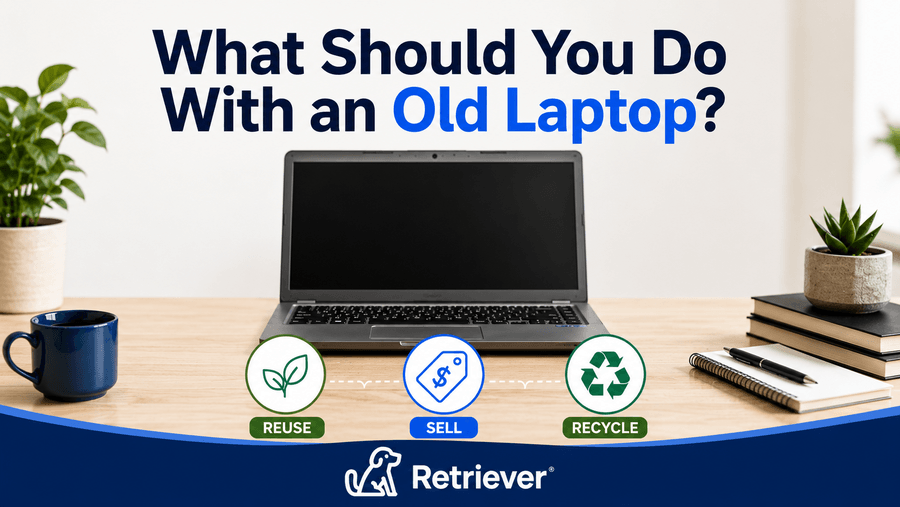
When a business has laptops it no longer needs, the devices can often be reused, redeployed, sold through a buyback program, or responsibly recycled. The right option depends on each laptop’s age, condition, remaining value, and whether it contains company data that needs to be securely removed.
Before retiring a laptop, businesses should determine whether the device still has useful life and ensure sensitive data is properly protected. Working laptops may be repaired, redeployed, or sold to recover remaining value, while outdated or damaged devices may be better suited for secure data destruction and responsible e-waste recycling.
This guide explains what businesses can do with old and retired laptops, how to prepare devices for reuse or disposal, how to securely remove company data, and when to consider redeployment, buybacks, IT asset disposition (ITAD), or electronics recycling.
What Should You Do With an Old Laptop?
What a business should do with an old laptop depends on its condition, age, remaining value, and whether it still has useful life. In most cases, businesses should consider repairing, redeploying, selling, or trading in a working device before sending it for recycling or end-of-life disposition.
Before choosing an option, businesses should also consider the sensitivity of the company data stored on the laptop and how that data will be securely sanitized. Devices that still have useful life may be redeployed or sold through a buyback program, while damaged or outdated laptops may be better suited for secure data destruction, ITAD, and responsible e-waste recycling.
| Laptop Condition | Best Option |
|---|---|
| Still works well and meets business requirements | Keep in use or redeploy |
| Works well but is no longer needed | Redeploy, sell, or use a buyback program |
| Needs minor repairs but still has useful life | Repair, refurbish, or redeploy |
| Company-owned or contains sensitive business data | Securely sanitize data before redeployment, resale, buyback, or ITAD |
| Damaged, outdated, or no longer has practical reuse or resale value | Use an appropriate ITAD or certified e-waste recycling process |
Whenever possible, businesses should extend the useful life of working laptops through repair, redeployment, or resale before recycling them. If a device no longer has practical reuse or resale value, responsible e-waste recycling provides an appropriate end-of-life path and allows recoverable materials to be properly processed.
Why Does Responsible Laptop Disposal Matter?
Responsible laptop disposal helps businesses protect sensitive data, reduce electronic waste, and keep usable devices and materials in circulation longer. When a company no longer needs a laptop, the device should be evaluated for reuse, value recovery, or responsible end-of-life disposition.
Laptops become part of the growing e-waste stream when they reach the end of their useful life. According to the United Nations Institute for Training and Research (UNITAR), the world generated a record 62 million metric tons of e-waste in 2022, and that amount is projected to reach 82 million metric tons by 2030.
Laptops also contain valuable materials that can be recovered through responsible recycling. The U.S. Environmental Protection Agency notes that electronics contain materials such as metals, plastics, and glass, and that recycling electronics helps conserve natural resources.
Before recycling retired laptops, businesses should determine whether the devices can still be repaired, redeployed, or sold to recover remaining value. Extending the useful life of working devices can delay them from becoming e-waste, while responsible e-waste recycling provides an appropriate end-of-life path for laptops that are damaged, outdated, or no longer practical to reuse.
For businesses, responsible laptop disposal also involves protecting company information. Retired devices may still contain employee information, customer data, saved credentials, or proprietary files, making secure data sanitization and documented handling important parts of the disposal process.
How Should Businesses Prepare Laptops for Disposal or Reuse?
Before a retired laptop is redeployed, sold, recycled, or otherwise transferred, back up any information that needs to be retained and securely remove data that should not remain on the device.
5 Steps to Prepare a Laptop for Its Next Use
1. Back up required business data.
Back up any company files or other information that must be retained before the laptop is redeployed, sold, or sent for end-of-life processing.
2. Remove accounts and company access.
Remove user accounts, saved credentials, and access to company applications or services associated with the laptop. IT teams should also remove or update the device in applicable device-management and account-management systems before it is transferred or retired.
3. Securely erase data from the device.
Windows and macOS include built-in tools for erasing or resetting a device before it changes ownership. Microsoft provides a "Remove everything" reset option with a drive-cleaning setting, but notes that this consumer feature does not meet government and industry data-erasure standards.
For compatible Macs, Apple provides Erase All Content and Settings for preparing a device for a new owner. Businesses handling sensitive company information should determine whether these built-in tools meet their security requirements or whether stronger data sanitization is required.
4. Use stronger data sanitization when sensitive information is involved.
Businesses should follow an appropriate media sanitization standard rather than relying solely on a consumer factory reset. NIST SP 800-88 Rev. 2 provides current guidance for organizations to establish media sanitization processes based on the sensitivity of the information stored on a device.
5. Gather the laptop and accessories.
Keep the appropriate charger and any relevant accessories with each device when it is being redeployed, sold, or transferred. For devices moving to recycling or ITAD, confirm the provider's requirements for batteries, chargers, and other equipment before shipping.
What Are the Options for Retired Laptops?
If a retired laptop still works, recycling does not necessarily need to be the first choice. Depending on the device's condition and remaining value, businesses may be able to redeploy, repair, sell, or trade in the device before considering e-waste recycling. Extending the useful life of a working laptop can help businesses recover more value from their IT assets and delay the need for disposal.
Can Retired Laptops Be Reused or Repurposed?
Yes. If a retired laptop still works reliably, reusing or repurposing it can extend its useful life and delay the need for recycling. Businesses may be able to redeploy the device to another employee, use it as a backup device, or assign it to a role with lower performance requirements.
Before retiring a laptop, businesses should consider whether a repair or upgrade could extend its useful life. Replacing a battery, adding memory or storage when the device allows it, or reinstalling the operating system may make the laptop suitable for redeployment.
If the device is no longer needed but still has useful life, selling it through a buyback program or redeploying it within the organization may be a better option than recycling it.
Should Businesses Sell or Trade In Retired Laptops?
Selling or trading in retired laptops can help businesses recover remaining value from devices they no longer need. A laptop’s resale value typically depends on factors such as its brand, model, specifications, age, battery condition, and overall physical condition.
Businesses can sell retired laptops directly or use a trade-in or buyback program. A buyback program can simplify the process by providing a structured way to evaluate devices, receive a quote, transfer the equipment, and recover remaining value from laptops the organization no longer needs.
Before selling or trading in retired laptops, businesses should securely sanitize the data on each device and maintain appropriate records of where the equipment went. For devices containing sensitive company information, the process should also provide documentation that the data was properly sanitized before the laptop changes ownership.
If a retired laptop has little resale value but still has useful life, businesses should consider whether it can be redeployed before sending it for recycling.
How Should Businesses Recycle Retired Laptops?
If a retired laptop is damaged, outdated, or no longer practical to reuse or redeploy, businesses should send it through an appropriate electronics recycling or ITAD process. This provides an end-of-life path for devices that no longer have practical reuse or resale value.
Businesses should work with an electronics recycling or ITAD provider that can meet their requirements for data security, device handling, and responsible end-of-life disposition. The EPA recommends using electronics recyclers certified under either the R2 or e-Stewards certification programs, which include standards related to environmental practices, worker health and safety, data security, and the management of used electronics.
Before retired laptops are sent for recycling, businesses should ensure company data has been securely sanitized and determine what documentation they require. This may include a documented chain of custody, verified data sanitization, and a Certificate of Data Destruction (CODD).
Real-World Examples: How Do Businesses Handle Retired Laptops?
Remote Employee Offboarding at Scale
Context: A distributed company with several hundred remote employees goes through a period of increased turnover, leaving IT responsible for recovering laptops from employees across multiple states. Each remote employee laptop return needs to be coordinated so equipment can be tracked, evaluated, and moved to the appropriate next stage of the company’s laptop lifecycle management process.
Challenge: Without a standardized process, IT may be managing return instructions, packaging, shipping, reminders, and device tracking individually. Once the laptops come back, the team also has to determine which devices are still useful, which have resale value, and which have reached the end of their useful life. Allowing returned equipment to accumulate without evaluating it can leave valuable hardware sitting unused and make eventual laptop fleet disposal more difficult.
Resolution: The company establishes a consistent return and evaluation process. Recovered laptops are identified and assessed based on their age, condition, specifications, and remaining useful life. Devices that are still suitable for employees can be prepared for redeployment, while eligible equipment that is no longer needed can enter a laptop buyback program for businesses to recover remaining value. Devices that have reached end of life can move through a documented IT asset disposition process that includes secure data sanitization and appropriate recycling or disposal.
Fleet Refresh With Mixed Device Conditions
Context: A company is replacing a large group of employee laptops as part of a scheduled hardware refresh. The retired fleet includes devices of different ages, specifications, and physical conditions, so the company cannot treat every laptop the same way. The refresh becomes part of a broader laptop lifecycle management process rather than simply a laptop fleet disposal project.
Challenge: Some laptops may still have years of useful life remaining, while others may be damaged, outdated, or no longer meet the company’s requirements. Sending every device directly to recycling could eliminate opportunities to reuse equipment or recover its remaining value. At the same time, devices leaving company control need to go through appropriate data sanitization compliance procedures before resale, recycling, or disposal.
Resolution: IT evaluates the returned fleet and separates devices according to condition and potential next use. Laptops that still meet company requirements can be prepared for redeployment. Eligible devices the organization no longer needs can enter a laptop buyback program for businesses, allowing the company to recover some of their remaining value. End-of-life IT equipment can move through a documented IT asset disposition process that includes secure data sanitization and responsible recycling. This approach gives each retired laptop an appropriate next step instead of treating an entire refresh cycle as waste.
Regulated-Industry Laptop Disposal
Context: A company operating in a regulated industry is retiring laptops that may contain sensitive business, employee, or customer information. Because these devices are leaving active use, the organization needs an IT asset disposition process that addresses both the physical equipment and the data stored on it.
Challenge: Simply deleting files or performing a basic reset may not meet the organization’s security or compliance requirements. IT needs a documented process for handling end-of-life IT equipment, maintaining chain of custody, and verifying that company data has been securely removed before devices are resold, recycled, or disposed of.
Resolution: The company follows a documented disposition process that prioritizes data sanitization compliance. Storage media is sanitized using an appropriate method aligned with NIST SP 800-88 Rev. 2, with a Certificate of Data Destruction providing documentation that the process was completed. Devices that retain resale value can then be evaluated for a laptop buyback program for businesses, while equipment that cannot be reused or resold can be sent for responsible recycling. This allows the organization to address security, documentation, and asset value as part of the same laptop lifecycle management process.
Startup Scaling Down Its Workforce
Context: A growing startup changes direction and reduces its workforce, creating a sudden influx of laptops from departing employees. Because much of the team works remotely, IT must coordinate each remote employee laptop return while also deciding what to do with more hardware than the smaller organization now needs.
Challenge: Some recovered laptops may still be relatively new and valuable, but keeping every device in storage can tie up capital and create unnecessary inventory. Other devices may be older or damaged and ready for disposition. IT needs a way to evaluate the returned equipment quickly while ensuring company data is securely removed from any device that will leave the organization.
Resolution: After the laptops are recovered, IT evaluates each device based on condition, specifications, age, and future hardware needs. A smaller pool of suitable laptops can be retained for future hires or redeployment. Eligible surplus devices can be sold through a laptop buyback program for businesses to recover remaining value. End-of-life IT equipment can move through an IT asset disposition process with secure data sanitization before recycling or disposal. This approach allows the company to reduce excess inventory while maintaining a documented laptop lifecycle management process for the equipment it no longer needs.
How Does Retriever Help Businesses Manage Retired Laptops?
Retriever helps businesses manage retired laptops through secure data destruction, IT asset disposition (ITAD), buybacks, warehousing, and redeployment. IT asset disposition (ITAD) is the process of securely managing retired IT equipment through data sanitization, value recovery, reuse, and responsible end-of-life disposition.
Retriever gives IT teams one process for determining whether retired laptops should be redeployed, sold through a buyback program, or securely processed for end-of-life disposition.
For laptops that have reached the end of their useful life, Retriever provides secure data destruction using processes aligned with NIST SP 800-88 Rev. 2. Retriever is also SOC 2 Type 2 certified, providing businesses with assurance that appropriate security controls are in place to protect company devices and data.
After data destruction is completed, Retriever issues a Certificate of Data Destruction (CODD) and stores it in the Retriever Portal, giving IT and compliance teams documentation that the device's data was securely processed. Retriever also maintains a documented chain of custody as devices move through the device lifecycle.
Not every retired laptop needs to be disposed of. Devices that still have useful life can be securely stored, prepared, and redeployed to another employee. When a company no longer needs a device but it still has market value, Retriever's laptop buyback program provides a way to recover that value rather than automatically sending the equipment for recycling.
By combining redeployment, laptop buybacks, secure data destruction, and ITAD, Retriever helps businesses manage retired laptops throughout the device lifecycle while protecting company data, recovering remaining value, and maintaining visibility throughout the process.
Frequently Asked Questions
What should I do with an old laptop?
Businesses should evaluate an old laptop based on its condition, remaining value, and the sensitivity of the company data stored on it. Working laptops may be repaired, redeployed, sold, or traded in, while devices that have reached the end of their useful life should move through an appropriate ITAD or electronics recycling process. Company data should be securely sanitized before the device leaves the organization.
How should businesses recycle retired laptops?
Businesses should recycle retired laptops through an appropriate electronics recycling or ITAD process that addresses data security and responsible end-of-life handling. In the United States, the EPA recommends using electronics recyclers certified under the R2 or e-Stewards standards.
What are certified e-waste recyclers?
Certified e-waste recyclers are electronics recyclers that have been independently audited against established standards for handling used electronics. For businesses disposing of retired laptops, these certifications can help identify recyclers that follow requirements related to environmental practices, data security, worker health and safety, and responsible electronics management. In the United States, the EPA recognizes R2 and e-Stewards as the two accredited certification standards for electronics recyclers.
How should businesses wipe data from laptops before disposal?
Businesses should securely sanitize data on retired laptops before the devices are disposed of, recycled, sold, or transferred. Consumer reset tools may not meet organizational security requirements, so businesses handling sensitive information should use an appropriate media sanitization process, such as one based on NIST SP 800-88 guidance.
Can businesses throw old laptops in the trash?
No. Businesses should not simply throw old laptops away. Devices that still have useful life may be repaired, redeployed, resold, or sent through a buyback program. Laptops that have reached the end of their useful life should be handled through an appropriate electronics recycling or ITAD process.
Should businesses recycle retired laptops that still work?
Not necessarily. If a retired laptop still works reliably, businesses should consider whether it can be repaired, redeployed, sold, or traded in before recycling it. Recycling is generally more appropriate when a device has reached the end of its practical useful life and no longer has meaningful reuse or resale value.
What is the difference between ITAD and electronics recycling?
IT asset disposition (ITAD) is a broader process for managing technology that a business no longer needs. It can include asset tracking, data sanitization, chain-of-custody documentation, resale or buyback, and recycling or disposal. Electronics recycling focuses specifically on processing unwanted electronic equipment and recovering or responsibly handling its materials.
For businesses retiring laptops, ITAD addresses both the data stored on the device and the value and disposition of the hardware, while electronics recycling is one possible final step for equipment that will not be reused or resold.
What is a Certificate of Data Destruction?
A Certificate of Data Destruction (CODD) is documentation confirming that data on a device has been securely destroyed or sanitized. It provides a record of the data destruction process, including information that can help identify the device and verify that sanitization was completed.
For businesses disposing of old laptops, a CODD can support internal recordkeeping, security policies, compliance requirements, and audits by documenting how company data was handled before the device was reused, resold, recycled, or disposed of.
How do businesses determine the resale value of old laptops?
The resale value of an old business laptop depends on factors such as its manufacturer, model, age, specifications, physical condition, and current market demand. Devices that are newer, functional, and in good condition generally retain more value than older or damaged equipment.
Businesses can have retired laptops evaluated through a buyback program to determine their current fair market value. This helps IT teams decide whether a device should be resold, redeployed, or moved to recycling or another form of disposition.
What is NIST SP 800-88 and how does it apply to laptop disposal?
NIST SP 800-88 Rev. 2 is guidance from the National Institute of Standards and Technology for sanitizing data on storage media. It provides organizations with a framework for selecting appropriate sanitization methods based on the media, sensitivity of the information, and intended disposition of the device.
Businesses can use this guidance when establishing procedures for laptops that will be redeployed, resold, recycled, or otherwise leave the organization’s control.
How long does the laptop disposal process take?
The time required to dispose of business laptops depends on the number of devices, their locations and conditions, whether data sanitization is required, and whether the laptops will be resold, recycled, or otherwise dispositioned. A large distributed fleet may require additional time to recover and process compared with equipment already located in one facility.
Businesses should account for the entire process, including device recovery, inventory verification, data sanitization, evaluation, documentation, and final disposition rather than treating disposal as a single step.
What records should businesses keep when disposing of old laptops?
Businesses should maintain records that document how retired laptops moved through the disposition process. Depending on the organization’s policies and requirements, this may include asset information, serial numbers, chain-of-custody records, data sanitization documentation, Certificates of Data Destruction, and records of resale, recycling, or final disposition.
Keeping these records helps organizations maintain visibility into retired assets and provides documentation for internal security, compliance, and audit purposes.
Are businesses legally required to wipe data before disposing of laptops?
Data disposal requirements vary depending on the organization, jurisdiction, industry, and type of information stored on the device. Certain privacy, security, contractual, or industry requirements may require organizations to protect sensitive information when equipment is retired.
Businesses should determine which requirements apply to their organization and establish a documented data sanitization process for retired laptops. Using recognized guidance such as NIST SP 800-88 Rev. 2 can help organizations develop appropriate sanitization procedures, but businesses should consult qualified legal or compliance professionals about specific legal obligations.
What happens to laptops after they are sent to an ITAD provider?
After laptops are received by an ITAD provider, they are typically inventoried and evaluated based on their condition, remaining value, and intended disposition. The provider may then sanitize data, prepare eligible devices for resale or reuse, or route end-of-life equipment for responsible recycling.
Businesses should receive appropriate documentation of the services performed, such as asset records, data destruction documentation, and final disposition records.
Can businesses donate old laptops instead of recycling them?
Yes, businesses may be able to donate laptops that are still functional and suitable for reuse. Before donating company-owned devices, organizations should confirm that the equipment is eligible for donation, securely sanitize company data, update asset records, and document the transfer of ownership.
Devices that are damaged, obsolete, or unsuitable for reuse may be better candidates for responsible electronics recycling rather than donation.
How Should Businesses Handle Laptops at the End of Their Useful Life?
The best option for a retired laptop is to keep it in use for as long as it remains practical and secure, then choose the appropriate next step based on its condition and remaining value. That may mean repairing or redeploying the device, selling it through a buyback program, or responsibly recycling it when it reaches the end of its useful life. Before a retired laptop leaves the organization, company data should be securely sanitized.
For businesses managing multiple retired laptops, the process should also account for secure data sanitization, chain of custody, value recovery, and responsible IT asset disposition. Retriever can help businesses manage retired devices through secure data destruction, ITAD, and laptop buybacks while maintaining visibility throughout the device lifecycle.
A structured process for managing retired laptops helps businesses protect sensitive information, recover remaining value, and ensure each device reaches the appropriate next stage in its lifecycle.
Ready to simplify how your business manages retired laptops? Retriever can help with laptop returns, redeployment, buybacks, secure data destruction, and ITAD. Book a demo here.