
Business E-Waste Recycling in 2026: A Complete Guide to Secure IT Asset Disposal
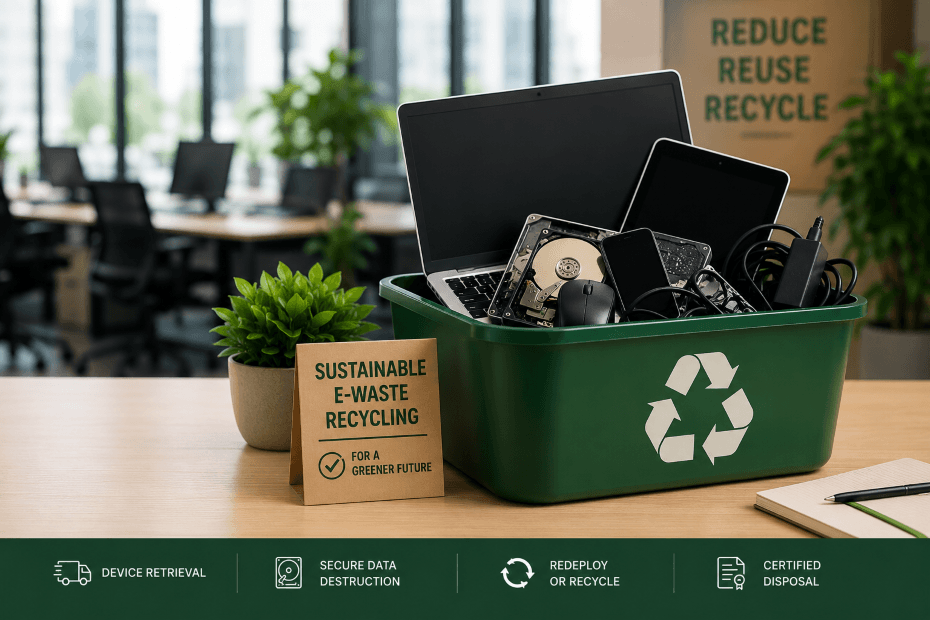
Old laptops pile up in storage rooms while IT teams are still expected to track devices, protect company data, and document how hardware is ultimately disposed of. E-waste is no longer just a sustainability issue. For businesses, it’s tied directly to security, compliance, inventory visibility, and chain of custody.
Remote and hybrid work have made the problem harder to control. Devices are now spread across home offices, former employees, storage rooms, and multiple locations instead of sitting in one office ready for collection.
This guide breaks down what sustainable e-waste recycling should look like for businesses in 2026, including secure device retrieval, data destruction, redeployment decisions, recycling accountability, and the operational mistakes companies still make when retiring hardware.
What Is E-Waste?
E-waste refers to electronic devices that have reached the end of their useful life or are no longer needed by an organization. For businesses, that includes much more than broken laptops. E-waste can include retired monitors, company phones, damaged laptops, hard drives, batteries, docking stations, networking equipment, and aging hardware left over from refresh cycles or employee offboarding.
Many retired devices still contain batteries, hazardous materials, and storage components that require proper handling during disposal. Some devices may also still contain sensitive company data long after they stop being actively used.
Why Sustainable E-Waste Recycling Matters for Businesses
Bad e-waste processes create problems well before devices ever reach a recycler. After refresh cycles or employee offboardings, old hardware will usually sit in storage rooms with little tracking or documentation. Hard drives may never get properly wiped, and devices slowly fall out of inventory records. That creates security, compliance, and operational risks.
Companies are also under more pressure to keep records showing how retired hardware was handled and where it ultimately ended up. That gets much harder in remote and distributed environments where devices move between employee homes, offices, storage facilities, and third-party vendors before final disposal.
Electronic devices also contain materials such as lead, mercury, cadmium, and brominated flame retardants that require specialized recycling processes. If retired equipment is improperly disposed of, these materials can contaminate soil and groundwater while creating unnecessary environmental risk. Working with a qualified ITAD vendor helps organizations support responsible recycling practices, maintain visibility into downstream vendors, and ensure retired technology assets are managed in accordance with recognized environmental and data security standards.
What a Responsible Business E-Waste Process Actually Looks Like
A responsible e-waste process usually starts with device retrieval and inventory verification after offboarding, refresh cycles, upgrades, or hardware failures. Once devices are collected, companies need to determine whether equipment should be redeployed, resold, recycled, or securely destroyed.
Without a structured retrieval process, devices are easily lost, forgotten in storage rooms, or removed from inventory tracking altogether. Once devices are collected, IT teams typically review device condition, serial numbers, assigned users, and whether the equipment can still be reused.
Not every retired device should be destroyed right away. Usable hardware can still serve as backup inventory, loaner devices, or redeployment stock for new employees. Devices that cannot be reused should undergo secure data destruction before leaving company control.
That process should include documented data destruction procedures that follow recognized industry standards, along with Certificates of Data Destruction documenting how data-bearing devices were handled.
Good disposal processes should also maintain records showing:
when devices were collected
who handled them
how data was destroyed
where equipment ultimately ended up
Common Business Scenarios That Require a Formal E-Waste Process
Business e-waste isn't created only when computers reach the end of their useful life. It can accumulate anytime organizations replace technology, offboard employees, relocate offices, merge with another business, or standardize hardware across the company. Each of these situations creates decisions about what should happen to retired devices. Some equipment can be redeployed, while other devices have reached the end of their useful life and should be securely sanitized and responsibly recycled through a documented process.
Company-Wide Device Refresh Projects
Most organizations focus on getting new laptops and other technology into employees' hands during a device refresh. Planning for the retired equipment is just as important. Without a consistent process for recovering and evaluating retired devices, laptops and other equipment can remain with remote employees, sit in storage rooms without accurate inventory records, or be recycled before sensitive business data has been securely sanitized. These gaps reduce asset visibility, create inventory discrepancies, increase data breach risk, and can lead to unnecessary hardware purchases because reusable devices never make it back into inventory.
A consistent device refresh e-waste management process helps organizations recover retired assets, maintain chain of custody documentation, securely sanitize sensitive data, and evaluate each device for redeployment, resale, or responsible recycling. Devices that have reached the end of their useful life can then be transferred to a qualified ITAD vendor for documented disposition and responsible recycling.
Employee Offboarding in Remote and Hybrid Workforces
Employee offboarding doesn't end when user accounts are disabled. IT teams still need to recover company-issued laptops and other equipment, especially in remote and hybrid workforces. Devices may be sitting in home offices across multiple states or different countries, making it difficult to coordinate returns, maintain accurate inventory records, and confirm every asset has been recovered. Without a documented remote employee laptop return process, organizations can lose track of valuable equipment, create inventory discrepancies, increase unnecessary hardware purchases because reusable devices are not available for redeployment, and increase the risk of sensitive business data remaining on unmanaged devices.
A documented offboarding process helps organizations recover company equipment while maintaining chain of custody documentation throughout the return process. Once devices are received, IT teams can securely sanitize business data, evaluate each asset for redeployment, resale, or responsible recycling, and maintain accurate records throughout the device lifecycle. Equipment that has reached the end of its useful life can then be transferred to a qualified ITAD vendor for documented recycling and final disposition.
Healthcare Organizations and Other Regulated Industries
For healthcare organizations and other regulated businesses, HIPAA laptop disposal and regulated device retirement involve much more than recycling old hardware. Many of these devices contain or have provided access to sensitive business, customer, or patient information, making secure handling and documentation just as important as replacing the equipment itself. If those steps aren't documented and consistently followed, organizations may struggle to maintain chain of custody documentation, support audits and compliance reviews, or verify that sensitive information has been securely sanitized before equipment leaves their control.
A well-defined e-waste management process helps organizations recover retired assets, securely sanitize sensitive data, maintain complete documentation throughout the disposition process, and determine whether equipment should be redeployed or permanently retired. Devices that cannot be reused can then be transferred to a qualified ITAD vendor for responsible recycling and documented disposition.
Mergers, Acquisitions, and Business Consolidations
After a merger or acquisition, one of the biggest IT challenges isn't deploying new technology. It's figuring out what to do with all the technology you've inherited. As organizations combine systems, employees, and hardware, IT teams often need to evaluate equipment from multiple inventories with different lifecycle records and asset management practices. When inherited assets aren't brought into a standardized process, organizations can lose visibility into equipment, create inconsistent inventory records, overlook devices that still have business value, increase data breach risk, or retire hardware before sensitive business data has been securely sanitized.
A structured post-merger IT asset disposal process helps organizations identify, inventory, and evaluate every inherited device while maintaining chain of custody documentation throughout the disposition process. Once assets have been assessed, IT teams can securely sanitize business data and determine whether equipment should remain in service, be redeployed, resold, or responsibly recycled. Devices that have reached the end of their useful life can then be transferred to a qualified ITAD vendor for documented disposition and responsible recycling.
Understanding Data Destruction Standards and ITAD Certifications
The following standards and certifications help businesses evaluate whether retired technology assets are being sanitized, documented, and recycled according to recognized industry practices.
Why NIST 800-88 Matters for Business Data Destruction
Many organizations reference NIST 800-88 when discussing business data destruction, but the standard is about more than simply wiping a hard drive. Developed by the National Institute of Standards and Technology (NIST), NIST Special Publication 800-88 Revision 2 provides guidance for selecting the appropriate media sanitization method based on the type of storage device, the sensitivity of the stored data, and what will happen to the device after it leaves service.
Instead of recommending a single approach for every device, NIST 800-88 defines three media sanitization levels: Clear, Purge, and Destroy. The appropriate method depends on the type of storage media, the sensitivity of the stored information, and whether the device will remain under the organization's control or leave it. Clear is typically appropriate when a device will remain under the organization's control, while Purge uses approved sanitization methods intended to make data recovery infeasible before a device leaves the organization's control. Destroy permanently renders the storage device or media unusable through physical methods such as shredding or pulverizing. Because the storage device or media is physically destroyed, it cannot be reused.
The standard also recognizes that SSD data destruction and flash storage sanitization require different approaches than traditional hard drives. Because solid-state drives manage data differently than magnetic disks, overwrite techniques that worked well on older hard drives do not always provide the same level of assurance for modern flash-based storage. Following NIST 800-88 helps organizations choose the appropriate sanitization method while maintaining a documented process that supports security, compliance, and effective IT asset lifecycle management.
How Does DoD 5220.22-M Compare to NIST 800-88?
For most organizations today, NIST 800-88 is the preferred guidance for business data destruction because it addresses modern storage technologies, including solid-state drives and flash-based storage. While the DoD 5220.22-M overwrite standard is still widely recognized, it was developed around overwrite methods for traditional magnetic hard drives and is no longer considered the primary guidance for media sanitization.
The biggest difference is that NIST 800-88 helps organizations choose the appropriate sanitization method based on the type of storage media, the sensitivity of the stored data, and what will happen to the device after it leaves service. In contrast, the DoD 5220.22-M overwrite standard is primarily associated with overwrite procedures developed for older hard disk drives. Because modern SSDs and flash-based storage manage data differently than traditional magnetic disks, organizations typically rely on NIST 800-88 when developing current data destruction procedures.
What Are R2 and e-Stewards Certifications?
R2 certification and e-Stewards certification are the two leading third-party certification programs used to evaluate electronics recyclers and IT asset disposition (ITAD) vendors.
R2 certification, developed by Sustainable Electronics Recycling International (SERI), establishes requirements for data security, environmental protection, worker health and safety, and responsible management of retired electronics. Many organizations look for an R2 certified recycler because the certification verifies that the facility has been independently audited against recognized operational requirements.
e-Stewards certification, developed by the Basel Action Network (BAN), also establishes requirements for data security, environmental responsibility, and responsible electronics recycling while placing additional emphasis on preventing hazardous electronic waste from being exported to developing countries and promoting responsible downstream recycling practices.
While there is no single certification required for every ITAD vendor, R2 certification and e-Stewards certification are the certification programs most commonly referenced when evaluating electronics recyclers and ITAD providers. Organizations should also understand how retired devices are tracked, how chain of custody is maintained, how data destruction is documented, how downstream vendors are managed, and whether the provider can produce documentation throughout the disposition process.
How Retriever Helps Businesses Manage Sustainable IT Asset Disposal
Retriever helps businesses manage retired technology assets throughout the end-of-life process, including device retrieval, warehousing, redeployment, secure data destruction, buyback, and responsible disposal.
When companies need laptops, monitors, or other devices returned, Retriever ships employees a padded return kit with prepaid labels and return instructions while managing return tracking and automated employee follow-ups throughout the process. Retriever's padded laptop return kits are also fully recyclable. The cardboard box can be recycled with standard paper recycling, and the polypropylene padding insert can be removed and recycled separately.
Once devices are recovered, companies can decide whether equipment should be redeployed, stored for future use, sold, or retired permanently. Retriever supports warehousing and redeployment, including device preparation, repair coordination, secure storage, and shipping devices back out when needed.
For devices that have reached the end of their useful life, Retriever can route hardware directly to its facility for secure data destruction and responsible disposal. Data destruction follows recognized standards including NIST 800-88 and U.S. Department of Defense 5220.22-M, with Certificates of Data Destruction stored inside the Retriever Portal. That documentation gives IT and compliance teams a record showing how retired devices were handled through final disposition. Retriever is also SOC 2 Type 2 certified, providing additional assurance around how customer assets and data are managed throughout the retrieval and disposition process.
Retriever can also help businesses recover value from retired hardware through buyback and disposal workflows, helping organizations avoid storing aging equipment that may still have redeployment or resale value.
Practical Business Checklist for Sustainable E-Waste Management
Use this checklist to evaluate whether retired hardware is being handled securely, responsibly, and efficiently across the full device lifecycle.
Identify aging hardware before storage rooms start filling up
Standardize device retrieval workflows for offboarding and refresh cycles
Maintain accurate inventory records for retired equipment
Avoid storing retired laptops and hard drives indefinitely
Use recyclable shipping and return materials whenever possible
Review e-waste processes regularly instead of treating disposal as a once-a-year cleanup project
8 Questions to Ask Before Recycling Business Laptops
Before sending retired laptops to a recycler or ITAD provider, businesses should understand how their devices, data, and documentation will be handled. Asking the right questions upfront can help IT teams evaluate security, accountability, and whether equipment is being retired appropriately.
1. How Will Data Be Sanitized or Destroyed?
Ask which data sanitization methods are used and whether they follow recognized guidance such as NIST 800-88. The appropriate method can depend on the type of storage media, the sensitivity of the data, and whether the device will be reused or permanently retired.
2. Will We Receive a Certificate of Data Destruction?
Businesses should know what documentation they will receive after data is sanitized or destroyed. A Certificate of Data Destruction provides a record of how data-bearing equipment was handled and can support internal security records, audits, and compliance reviews.
3. How Is Chain of Custody Maintained?
Ask how devices are tracked from the time they leave your organization through final disposition. A documented chain of custody should provide visibility into who handled the equipment and what happened to it throughout the process.
4. Could Any of These Laptops Be Reused or Redeployed?
Recycling should not automatically be the first destination for every retired laptop. Some devices may still be suitable for redeployment, backup inventory, or use as loaner equipment, extending their useful life before final disposal.
5. Do Any of the Devices Still Have Resale or Buyback Value?
Before recycling usable equipment, determine whether it still has market value. A buyback program can allow businesses to recover value from laptops that are no longer needed internally but have not yet reached the end of their useful life.
6. What Happens to Devices That Are Actually Recycled?
Businesses should understand where retired equipment goes after it leaves the provider and how downstream recycling vendors are managed. Ask whether the provider follows recognized responsible recycling practices and how final disposition is documented.
7. What Certifications or Standards Does the Provider Follow?
Ask which recognized standards and certifications apply to the provider's data destruction and electronics recycling processes. Depending on the services being performed, these may include NIST 800-88 guidance and recycling certifications such as R2 or e-Stewards.
8. Can the Provider Handle Devices From Remote and Distributed Employees?
For remote and distributed workforces, recycling often starts with getting equipment back from employees in different locations. Ask whether the provider can manage device retrieval, return shipping, tracking, and international logistics when necessary so retired equipment can enter the same documented disposition process regardless of where it is located.
Frequently Asked Questions About Business E-Waste Recycling
What is e-waste?
E-waste refers to electronic devices that are no longer actively used. For businesses, that can include laptops, monitors, phones, hard drives, batteries, networking equipment, and other retired IT hardware.
Why is e-waste recycling important for businesses?
Businesses generate retired hardware through refresh cycles, offboarding, and damaged equipment. Without a clear disposal process, old devices often sit untracked for long periods, creating storage, tracking, and security problems.
How should companies dispose of old laptops?
Old laptops should first be reviewed to determine whether they can be reused, redeployed, resold, or retired. Devices that have reached end of life should go through documented data destruction before being recycled or disposed of through a qualified ITAD or electronics recycling provider.
What is a Certificate of Data Destruction?
A Certificate of Data Destruction is documentation showing how a data-bearing device was wiped or destroyed. Companies often keep these records for audits, compliance reviews, and internal security documentation.
Can business laptops be reused instead of recycled?
Yes. Many retired laptops still have usable life left. Companies often redeploy devices internally, use them as backup inventory, issue them as loaner devices, or include them in buyback programs before considering disposal.
Why do chain-of-custody records matter during e-waste disposal?
Chain-of-custody records help businesses document where devices were collected, who handled them, when data was destroyed, and where equipment ultimately ended up. That documentation becomes important during audits, compliance reviews, security investigations, and internal asset tracking.
How Should Businesses Approach E-Waste Management in 2026?
A responsible business e-waste process starts before a device ever reaches a recycler. Companies need a clear way to recover retired equipment, protect the data it contains, determine whether it still has useful life or resale value, and document what ultimately happens to it.
Retriever helps businesses manage that process from device recovery through final disposition, including retrieval, warehousing, redeployment, secure data destruction, buybacks, and responsible disposal.