
How to Choose the Right IT Asset Management Software Vendor
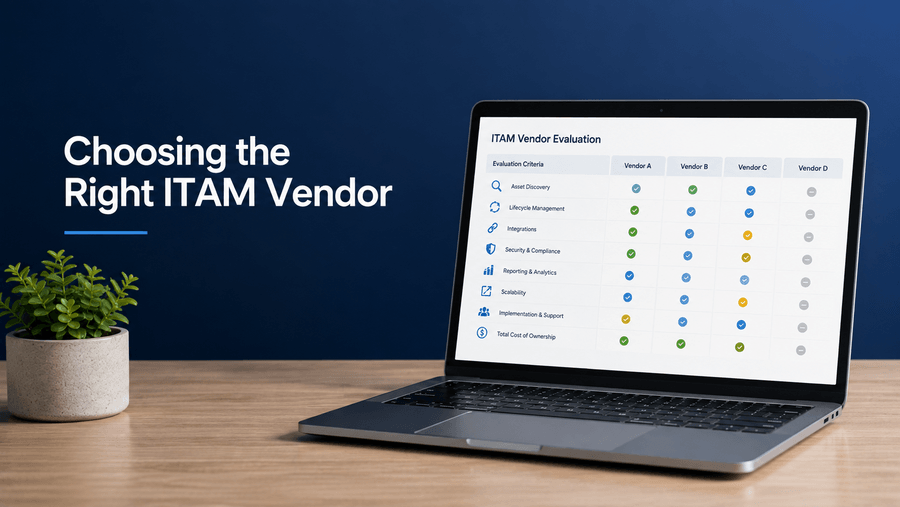
Choosing the right IT asset management (ITAM) software vendor starts with understanding what your organization needs to track, manage, and optimize across the IT asset lifecycle. The right platform should provide visibility into hardware and software assets while supporting the integrations, security requirements, reporting, and workflows your IT team already relies on.
When comparing ITAM software vendors, evaluate more than individual features. Consider how well each solution supports asset discovery, lifecycle tracking, software license management, ITSM integration, security and compliance, scalability, reporting, implementation, and total cost. The best ITAM software is the one that fits your current environment while giving your organization room to grow.
This guide explains how to assess your IT asset management needs, compare ITAM vendors, evaluate the capabilities that matter most, and ask the right questions before selecting a platform.
Why Is IT Asset Management Important?
IT asset management is important because it gives organizations visibility and control over their hardware, software, and other technology assets throughout their lifecycle. Effective ITAM helps IT teams understand what assets they have, where those assets are located, who is using them, how they are being used, and when they should be reassigned, replaced, or retired.
Without accurate IT asset data, organizations can end up paying for technology they no longer need, losing visibility into devices, maintaining unused software licenses, or struggling to document assets for security and compliance purposes. A structured ITAM program creates a more reliable system of record for managing technology across the organization.
1. Improve Asset Visibility and Accountability
ITAM provides a centralized view of hardware, software, licenses, ownership, location, and asset status. This visibility becomes especially important for organizations managing remote or hybrid employees, multiple offices, and devices moving between users throughout their lifecycle.
2. Control Hardware and Software Costs
ITAM helps organizations identify underused hardware, unnecessary software licenses, duplicate applications, and other areas of avoidable IT spending. Better asset data also helps teams make more informed purchasing decisions and determine whether existing equipment can be reassigned or redeployed before new devices are purchased.
3. Improve Security and Compliance
Organizations need to know which devices and software are part of their IT environment. ITAM can help identify unmanaged or unknown assets, maintain accurate records, support software license compliance, and provide documentation for security, compliance, and audit requirements.
4. Manage the Complete IT Asset Lifecycle
IT assets need to be managed from acquisition and deployment through maintenance, reassignment, recovery, and eventual retirement or disposal. A structured ITAM process gives teams visibility into each stage of that lifecycle and helps prevent devices, software, and licenses from becoming lost, unused, or unmanaged.
5. Optimize Software License Management
Software is a significant part of IT asset management. Tracking licenses, installations, usage, renewals, and entitlements can help organizations identify unused subscriptions, reduce unnecessary spending, and address potential software license compliance issues before they become larger problems.
6. Support Better IT Planning and Decision-Making
Accurate ITAM data helps organizations make more informed decisions about purchasing, refresh cycles, software renewals, device redeployment, resource allocation, and future technology needs. It also provides a stronger foundation for deciding where automation, integrations, or process improvements can make IT operations more efficient.
Why Is Choosing the Right ITAM Software Vendor Challenging?
Choosing the right ITAM software vendor can be challenging because platforms vary significantly in their capabilities, integrations, scalability, implementation requirements, and pricing. A solution that works well for one organization may not fit another organization's IT environment, asset mix, security requirements, or long-term goals.
The challenge is also that IT asset management software can cover a wide range of functions. Some platforms focus primarily on hardware inventory and asset discovery, while others provide broader capabilities for software asset management, license optimization, endpoint visibility, lifecycle management, automation, compliance reporting, and integration with IT service management (ITSM) systems.
Organizations also need to consider how an ITAM platform will work with their existing technology stack. A platform may have strong individual features but still create operational problems if it cannot reliably exchange data with systems such as an ITSM platform, endpoint management tools, identity systems, procurement software, or HR systems.
Scalability is another important consideration. The right ITAM vendor should be able to support changes in device volume, software usage, locations, employees, and workflows without requiring an organization to replace its asset management system as it grows.
Finally, organizations need to evaluate more than the software itself. Implementation requirements, data migration, vendor support, training, security practices, product development, contract terms, and total cost of ownership can all affect whether an ITAM platform delivers long-term value.
That is why an effective ITAM vendor comparison should begin with the organization's requirements rather than with a list of software features. Defining the assets you need to manage, the systems you need to integrate, the problems you need to solve, and the outcomes you expect makes it much easier to determine which vendor is actually the best fit.
How Do Organizations Choose the Right ITAM Vendor? Real-World Scenarios
Organizations choose the right ITAM vendor by identifying the specific asset management problems they need to solve and evaluating vendors against those requirements. Factors such as company size, regulatory requirements, existing technology, workforce structure, and growth plans can significantly change which ITAM capabilities matter most.
The following hypothetical scenarios illustrate how different organizations might approach IT asset management software selection and measure whether the chosen solution is delivering value.
Scenario 1: Managing Software Licenses During Rapid Growth
Situation: A 500-person SaaS company is growing quickly, adding employees, applications, and software licenses across multiple departments. As the organization expands, IT has difficulty maintaining accurate visibility into which applications are installed, who is using them, and whether purchased licenses are actually needed.
What matters in the ITAM vendor comparison: The company prioritizes automated software discovery, real-time license tracking, software license compliance, automated reconciliation, and integration with its existing ServiceNow environment. Scalability is also important because the number of users and technology assets is expected to continue increasing.
Potential outcome: With centralized software visibility and automated license management, the company identifies unused and duplicate licenses and reduces software overspend by 23% during the first year. More accurate license records also allow the IT team to complete its next software compliance audit without findings.
Scenario 2: Strengthening Compliance Across a Healthcare Network
Situation: A regional healthcare organization operating 12 facilities needs a more reliable way to track IT assets and maintain the documentation required to support its security and HIPAA compliance processes. Asset information stored across spreadsheets and separate systems makes preparing for reviews slow and difficult.
What matters in the ITAM vendor comparison: The organization prioritizes detailed audit trails, role-based access controls, real-time asset visibility, reporting capabilities, and integrations with its existing IT and security systems. The evaluation also considers how easily the platform can produce reliable records when compliance or security teams need them.
Potential outcome: Centralized asset records and automated reporting reduce audit preparation from three weeks to four days. During implementation, improved software discovery also identifies $180,000 in unnecessary annual software costs that can be eliminated or reallocated.
Scenario 3: Improving Endpoint Visibility for a Distributed Workforce
Situation: A financial services firm has shifted to a hybrid workforce and discovers that its existing tracking processes do not provide reliable visibility into approximately 30% of endpoint devices. Manual spreadsheets and periodic inventory checks make it difficult to determine which employee has each device or whether asset records are current.
What matters in the ITAM vendor comparison: The firm prioritizes remote asset discovery, endpoint visibility, mobile device management integration, automated inventory updates, security reporting, and ITAM scalability. The platform also needs to support devices moving between offices, remote employees, and different stages of the asset lifecycle.
Potential outcome: Automated discovery and integrations create a more accurate view of network-connected endpoints and reduce manual asset-tracking work by 70%. IT and security teams also gain more timely visibility into devices that require investigation, updates, recovery, or other action.
Why these scenarios matter
There is no single ITAM vendor that is automatically the best choice for every organization. A rapidly growing software company may prioritize license optimization and scalability, a healthcare organization may place greater weight on compliance and auditability, and a distributed company may need stronger endpoint visibility and remote asset discovery.
The most effective IT asset management software selection process therefore starts by defining the organization's problems and desired outcomes first, then comparing vendors against those requirements.
What Should You Assess Before Choosing ITAM Software?
Before choosing IT asset management software, assess your current asset environment, business requirements, technology stack, security and compliance needs, internal resources, and future growth. Defining these requirements before comparing vendors helps prevent organizations from selecting a platform based on features they may not need while overlooking capabilities that are critical to their operations.
1. Identify the Assets You Need to Manage
Start by defining the scope of your IT environment. Determine whether the platform needs to manage laptops, desktops, mobile devices, servers, network equipment, software, SaaS applications, licenses, cloud assets, or a combination of these.
Also consider where those assets are located and who uses them. Organizations supporting remote and hybrid employees, multiple offices, or international teams may need stronger endpoint visibility and more flexible asset tracking than organizations operating from a single location.
2. Identify Your Current ITAM Problems
Document the specific problems you want the software to solve. These might include inaccurate inventory records, limited endpoint visibility, unused software licenses, manual asset tracking, disconnected systems, compliance gaps, or difficulty managing assets throughout their lifecycle.
Prioritizing these problems makes ITAM vendor comparison more objective because each platform can be evaluated against actual operational needs rather than a generic feature list.
3. Define Your Required ITAM Capabilities
Determine which capabilities are essential and which are simply nice to have. Depending on your organization, requirements may include automated asset discovery, hardware inventory, software license management, lifecycle tracking, reporting, workflow automation, contract and warranty tracking, compliance documentation, or asset utilization data.
Creating a must-have, should-have, and nice-to-have requirements list can make it easier to compare vendors consistently.
4. Map Your Integration Requirements
Identify the systems the ITAM platform will need to connect with. These may include IT service management (ITSM), mobile device management (MDM), endpoint management, identity and access management, HR, procurement, finance, and security platforms.
Integration requirements should be evaluated early because an ITAM platform that cannot exchange reliable data with your existing systems can create additional manual work and fragmented asset records.
5. Define Security, Compliance, and Reporting Requirements
Determine what information your organization needs to document and which teams need access to it. Depending on your industry and environment, this could include asset ownership and location, software license compliance, audit histories, role-based access controls, asset changes, security status, or lifecycle records.
Organizations with regulatory or internal audit requirements should identify these needs before vendor evaluation so they can test whether each platform provides the necessary controls, reporting, and auditability.
6. Consider Implementation and Internal Resources
Assess who will be responsible for implementing and maintaining the ITAM platform. Consider data migration, system configuration, integrations, employee training, ongoing administration, and the amount of support your team may need from the vendor.
A feature-rich platform may not be the best fit if implementing or maintaining it requires more time, expertise, or staffing than your organization can realistically provide.
7. Plan for Scalability and Future Needs
ITAM software should support both your current environment and foreseeable growth. Consider whether the platform can accommodate increases in employees, devices, software, locations, integrations, and asset-management workflows without requiring a major system change.
Organizations should also consider whether their ITAM needs may expand into areas such as automation, software asset management, lifecycle management, or broader integrations over time.
8. Establish Your Budget and Total Cost of Ownership
Determine what your organization can realistically invest, but evaluate more than the software's advertised price. Total cost of ownership can include licensing, implementation, integrations, data migration, training, support, administration, and other ongoing costs.
Understanding the full cost makes it easier to compare vendors whose pricing models or implementation requirements differ significantly.
9. Define How You Will Measure Success
Before evaluating vendors, determine what successful ITAM implementation should improve. Depending on your goals, that could mean more accurate asset records, greater endpoint visibility, reduced software spending, faster audit preparation, less manual tracking, better lifecycle management, or improved asset utilization.
Clear success criteria give your organization a way to evaluate not only which vendor looks best during the sales process, but whether the platform ultimately solves the problems it was purchased to address.
What Should You Look for in an ITAM Software Vendor?
When choosing an ITAM software vendor, evaluate how well the platform meets your requirements for asset discovery, lifecycle management, integrations, automation, security, reporting, scalability, usability, implementation, support, and total cost. The best vendor is not necessarily the platform with the longest feature list. It is the one that can reliably support your organization's IT environment and asset management goals.
1. Automated Asset Discovery and Inventory
A strong ITAM platform should make it easier to maintain an accurate inventory of the assets within its supported environment. Evaluate how the software discovers hardware, software, and other asset types and how frequently that information is updated.
Ask vendors how the platform identifies new assets, handles devices that are not continuously connected to the corporate network, reconciles duplicate or conflicting records, and maintains visibility across remote and hybrid environments.
2. Complete Asset Lifecycle Management
Look beyond basic inventory tracking. ITAM software should help manage assets across the stages relevant to your organization, including acquisition, deployment, assignment, maintenance, reassignment, recovery, retirement, and disposal.
For organizations managing distributed workforces, lifecycle visibility should also extend to devices moving between employees and locations. Knowing that an asset exists is different from knowing where it is, who is responsible for it, what condition it is in, and what should happen to it next.
3. Software Asset and License Management
If software management is part of your ITAM strategy, evaluate how the platform tracks installations, licenses, usage, renewals, and entitlements. Strong software asset management capabilities can help identify unused licenses, duplicate applications, and potential software license compliance issues.
Make sure the vendor's capabilities match the complexity of your software environment rather than assuming every ITAM platform provides the same level of software license management.
4. Integrations With Your Existing Technology Stack
ITSM integration is an important consideration because ITAM data becomes more useful when it can work with the systems your IT team already uses. Evaluate integrations with IT service management platforms, endpoint and mobile device management tools, identity systems, HR platforms, procurement systems, security tools, and other relevant technology.
Ask whether integrations are native, API-based, or require custom development. Also determine what data can move between systems and whether synchronization is automatic and bidirectional where needed.
5. Workflow Automation
Look for opportunities to reduce repetitive manual work. Depending on your needs, ITAM automation may support asset assignments, inventory updates, approval workflows, software reclamation, lifecycle events, notifications, or other routine processes.
During vendor demonstrations, ask to see how the workflows your organization actually uses would be automated rather than relying only on a generic product demonstration.
6. Security and Compliance
Evaluate how the vendor protects your organization's asset data and controls access to the platform. Relevant capabilities may include role-based access controls, audit logs, authentication options, encryption, security monitoring, and documentation supporting your organization's compliance requirements.
Security evaluation should include the vendor itself as well as the software. Review available security documentation, certifications, data-handling practices, and incident-response processes based on your organization's requirements.
7. Reporting, Analytics, and Data Quality
ITAM data is only valuable if teams can understand and use it. Evaluate whether the platform provides reporting on asset inventory, ownership, lifecycle status, software usage, compliance, costs, and other metrics important to your organization.
Also consider data quality. Ask how the system handles incomplete, outdated, or conflicting records and whether reports can be customized for different stakeholders, such as IT operations, security, finance, procurement, and leadership.
8. Scalability and Flexibility
ITAM scalability means the platform can continue supporting the organization as its asset volume, workforce, locations, software environment, and operational complexity grow. Ask vendors about practical limits related to users, assets, integrations, data volume, workflows, and geographic expansion.
Also determine whether additional capabilities can be introduced over time without requiring a complete platform replacement.
9. Usability and Administration
A powerful platform can still fail if employees find it difficult to use or administrators struggle to maintain it. Evaluate the interface from the perspective of both everyday users and the people responsible for configuring and managing the system.
Consider how much technical expertise is required to create reports, change workflows, manage integrations, update fields, or perform other routine administrative tasks.
10. Implementation, Migration, Training, and Support
Understand what happens after the contract is signed. Ask who handles implementation, how existing asset data is migrated and cleaned, how integrations are configured, what training is provided, and what support is available after launch.
Also clarify expected implementation responsibilities on both sides. A platform that fits your requirements but requires resources your team does not have may not be the right operational fit.
11. Vendor Stability and Product Roadmap
Evaluate the company behind the software as well as the current product. Consider the vendor's experience, customer support model, product development, update frequency, and ability to continue supporting the platform over time.
Ask about the product roadmap and how customer feedback influences development. This is especially important when your organization expects its ITAM requirements to evolve.
12. Pricing and Total Cost of Ownership
Compare the full cost of each ITAM solution rather than looking only at the advertised subscription or license price. Costs may include implementation, data migration, integrations, customization, training, premium support, additional modules, and ongoing administration.
Ask how pricing changes as your number of users, assets, locations, or required capabilities increases. This makes it easier to understand whether a platform that appears inexpensive initially will remain cost-effective as your organization grows.
ITAM Vendor Evaluation Checklist
| Evaluation Area | What to Evaluate |
|---|---|
| Asset Discovery & Inventory | Asset types supported, discovery methods, accuracy, update frequency, and remote endpoint visibility |
| Asset Lifecycle Management | Acquisition, deployment, assignment, maintenance, reassignment, recovery, retirement, and disposal |
| Software & License Management | Software discovery, license usage, renewals, entitlements, optimization, and compliance |
| Integrations | Compatibility with ITSM, MDM/UEM, identity, HR, procurement, finance, security, and other existing systems |
| Automation | Automated inventory updates, workflows, notifications, approvals, lifecycle events, and other repetitive processes |
| Security & Compliance | Role-based access, audit logs, authentication, encryption, vendor security practices, and compliance support |
| Reporting & Data Quality | Custom reporting, asset data accuracy, reconciliation, analytics, and reporting for different stakeholders |
| Scalability | Ability to support growth in assets, users, locations, integrations, data, and workflows |
| Usability & Administration | Ease of use, configuration requirements, administrative workload, and technical expertise required |
| Implementation & Migration | Implementation process, timeline, data migration, data cleanup, configuration, and integration setup |
| Training & Support | Onboarding, documentation, training, support availability, response expectations, and ongoing assistance |
| Vendor & Product | Vendor experience, product roadmap, update frequency, customer feedback process, and long-term platform development |
| Pricing & Total Cost | Licensing, implementation, integrations, migration, training, support, additional modules, administration, and costs as you scale |
What Questions Should You Ask an ITAM Vendor?
When evaluating an ITAM vendor, ask questions that reveal how the platform will perform in your actual environment, not just what features appear on a product checklist. The goal is to understand how the software handles your assets, integrations, workflows, security requirements, implementation, support, and costs before you make a decision.
1. How Does Your Platform Discover and Maintain IT Asset Data?
Ask what types of hardware, software, cloud assets, and endpoints the platform can discover and how frequently asset information is updated. Find out how it handles remote devices, assets that are not continuously connected to the corporate network, duplicate records, and conflicting data from multiple sources.
2. How Does the Platform Manage the Complete Asset Lifecycle?
Ask how assets are tracked from acquisition and deployment through assignment, maintenance, reassignment, recovery, retirement, and disposal. If you manage remote or hybrid employees, determine how the platform maintains ownership, location, status, and lifecycle records as devices move between users and locations.
3. What Software Asset and License Management Capabilities Are Included?
Determine how the platform tracks software installations, usage, licenses, entitlements, renewals, and compliance. Ask whether it can identify unused or underused licenses and how software data is reconciled across different sources.
4. Which Systems Does the Platform Integrate With?
Ask specifically about the systems your organization already uses, including ITSM, MDM/UEM, endpoint management, identity, HR, procurement, finance, and security platforms. Determine whether integrations are native or API-based, what data can be exchanged, how frequently it synchronizes, and whether additional fees or development work are required.
5. What Workflows Can Be Automated?
Ask the vendor to demonstrate automation using scenarios relevant to your organization. Examples could include asset assignments, inventory updates, lifecycle events, approvals, notifications, software reclamation, or other repetitive ITAM processes.
6. How Does the Platform Support Security and Compliance Requirements?
Ask about role-based access controls, authentication, encryption, audit logs, data retention, security monitoring, and available security certifications or documentation. Organizations with specific regulatory or audit requirements should also ask how the platform supports the records and reporting they need.
7. What Reporting and Analytics Are Available?
Determine which reports are included, what can be customized, and whether different teams can access reporting relevant to their responsibilities. Ask how the platform handles inaccurate or incomplete asset data and whether information can be exported or shared with other systems when needed.
8. How Will the Platform Scale With Our Organization?
Ask how pricing and platform capabilities change as you add assets, employees, locations, integrations, workflows, or business units. Also determine whether there are practical limits on data, users, API usage, or other functionality that could become important as your environment grows.
9. What Does Implementation Require?
Ask for a realistic implementation plan covering data migration, data cleanup, configuration, integrations, testing, training, and deployment. Clarify what the vendor handles, what your internal team is responsible for, and which resources will be required on both sides.
10. What Training and Ongoing Support Do You Provide?
Find out what onboarding and training are included, which support channels are available, and whether support levels vary by plan. Ask about response expectations, dedicated account support, documentation, and how issues are escalated when they cannot be resolved through standard support.
11. What Is on Your Product Roadmap?
Ask how frequently the platform is updated, which capabilities are being developed, and how customer feedback influences the roadmap. This can help determine whether the vendor is continuing to invest in areas that align with your organization's future ITAM needs.
12. What Will Our Total Cost Be?
Ask for a complete breakdown of licensing, implementation, data migration, integrations, customization, training, support, additional modules, and other potential charges. Also ask how costs change as your asset count, user count, locations, or required functionality grows.
13. Can You Demonstrate Our Actual Use Cases?
Ask vendors to demonstrate the platform using your organization's requirements rather than relying only on a standard sales demo. Provide several realistic workflows or problems and ask each vendor to show how its platform would handle them.
Using the same scenarios with every vendor makes comparisons more consistent and can expose differences that aren't obvious from feature lists or marketing materials.
Frequently Asked Questions About Choosing an ITAM Software Vendor
What is the most important factor when choosing an IT asset management software vendor?
The most important factor is how well the ITAM platform fits your organization's specific requirements and existing technology environment. Integration capabilities are especially important because ITAM data often needs to work with ITSM, endpoint management, identity, HR, procurement, security, and other systems. You should also evaluate asset discovery, lifecycle management, security, scalability, reporting, usability, implementation requirements, vendor support, and total cost. The best ITAM vendor is the one that can solve your priority asset-management problems while fitting into your existing workflows and supporting future growth.
How do I compare IT asset management software vendors effectively?
Compare ITAM vendors by defining your requirements first and evaluating every platform against the same criteria and use cases. Create a structured scorecard covering asset discovery, hardware and software management, integrations, automation, security, compliance, reporting, scalability, implementation, support, and total cost of ownership. Separate must-have requirements from features that would simply be nice to have. During demonstrations, give each vendor the same real-world scenarios from your organization and ask them to show exactly how their platform would handle them rather than relying only on a standard product demo.
What questions should I ask an ITAM vendor during evaluation?
Ask ITAM vendors how their platform discovers assets, manages the asset lifecycle, integrates with your existing systems, protects data, supports compliance, scales, and handles implementation and ongoing support. You should also ask about software license management, workflow automation, reporting, data migration, training, product development, pricing, and potential additional fees. For integrations, ask whether they are native, API-based, or require custom development. Finally, ask the vendor to demonstrate your organization's actual workflows so you can evaluate how the software would perform in practice.
How long does it typically take to implement IT asset management software?
ITAM implementation can take anywhere from several weeks to several months depending on the size and complexity of the organization and the scope of the deployment. A limited cloud-based implementation with relatively clean asset data and few integrations may be completed more quickly, while an enterprise deployment involving multiple data sources, integrations, custom workflows, data cleanup, and organizational change can take considerably longer. Implementation time also depends on internal staffing, vendor resources, migration requirements, testing, and training. Rather than relying on a generic timeframe, organizations should ask each vendor for an implementation plan based on their actual environment and requirements.
What is the difference between ITAM software and ITSM software?
ITAM software manages technology assets throughout their lifecycle, while ITSM software manages the delivery and support of IT services. ITAM focuses on assets such as hardware, software, licenses, ownership, costs, lifecycle status, and utilization. ITSM focuses on processes such as incidents, service requests, problems, changes, and service delivery. The two disciplines are complementary, which is why integrating ITAM and ITSM systems can give service teams useful asset context when responding to requests or managing changes.
Can small businesses benefit from IT asset management software?
Yes. Small businesses can benefit from ITAM software when managing devices, software licenses, asset ownership, security, or technology spending has become difficult to handle manually. Even a relatively small organization can accumulate unused software subscriptions, outdated asset records, unmanaged endpoints, and equipment that is difficult to locate or reassign. ITAM software can centralize this information and reduce reliance on spreadsheets and manual tracking. However, smaller organizations should weigh those benefits against implementation effort and cost rather than choosing an enterprise-level platform with capabilities they do not need.
How Do You Choose the Right ITAM Software Vendor?
Choosing the right ITAM software vendor starts with understanding your organization’s asset environment, defining the problems you need to solve, and comparing vendors against the same requirements. The strongest fit will be the platform that can support your asset discovery, lifecycle management, integrations, automation, security, reporting, scalability, implementation, and cost requirements without adding unnecessary complexity.
Before making a final decision, create a clear requirements list, separate must-have capabilities from nice-to-have features, and give each vendor the same real-world use cases to demonstrate. Compare not only what the platform can do today, but also how it will integrate with your existing systems, how difficult it will be to implement and maintain, how pricing changes as you grow, and whether the vendor can support your long-term ITAM strategy.
There is no single IT asset management platform that is the best choice for every organization. A smaller business may need straightforward asset visibility and lifecycle tracking, while a large or highly regulated organization may require deeper software asset management, auditability, automation, integrations, and reporting. The right decision is the one that best matches your current environment, operational priorities, and future needs.