
The ROI of Laptop Warehousing and Redeployment: Why Companies Need to Stop Buying Laptops They Already Own
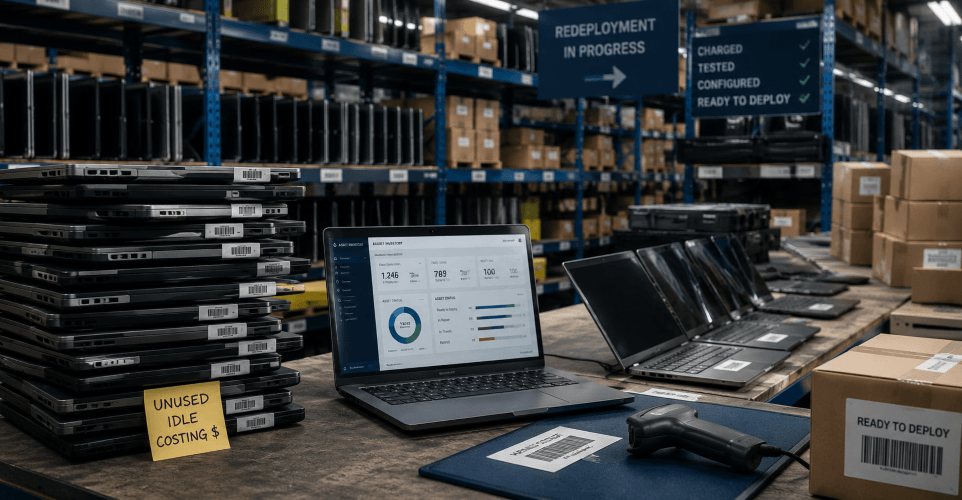
The ROI of laptop warehousing and redeployment comes from reducing unnecessary hardware purchases, extending the useful life of existing devices, lowering deployment costs, and getting recovered laptops back into productive use. Centralized warehousing gives IT teams visibility into available inventory, while redeployment allows usable laptops to be inspected, securely wiped, repaired or reimaged when necessary, and prepared for the next employee.
Without a structured laptop lifecycle process, usable devices can sit idle in offices, closets, employee homes, or disconnected storage locations while IT purchases additional hardware. The financial impact goes beyond the cost of new laptops and can include unnecessary rush shipping, IT labor, storage overhead, device depreciation, delayed onboarding, and hardware lost during employee offboarding.
This guide explains how companies can calculate and improve the ROI of laptop warehousing and redeployment, including reducing hardware spending, improving laptop recovery rates, extending refresh cycles, managing remote employee devices, and determining when centralized warehousing makes more financial and operational sense than storing laptops internally.
Key Terms: Laptop Warehousing and Redeployment Explained
Laptop Redeployment: Laptop redeployment is the process of recovering a used laptop and preparing it for assignment to another employee or location. The process can include device inspection, secure data wiping, repairs, reimaging, access verification, and shipping coordination. Redeployment helps companies extend the usable life of existing hardware and reduce unnecessary laptop purchases.
Device Warehousing: Device warehousing is the centralized storage and management of laptops and other IT hardware between active assignments. Unlike basic storage, a warehousing program keeps devices tracked, organized by condition or readiness, and prepared to move back into circulation. Returned laptops can be received, inventoried, inspected, securely wiped, cleaned, repaired or reimaged when necessary, stored, and staged for future deployment. This gives IT teams better visibility into deployment-ready inventory and reduces the time required to locate and prepare equipment.
IT Asset Management (ITAM): IT asset management is the practice of tracking and managing technology assets throughout their lifecycle, from procurement and assignment through maintenance, redeployment, and final disposition. Effective ITAM helps companies understand what equipment they own, where it is located, who it is assigned to, and whether it can be reused before additional hardware is purchased.
Laptop Lifecycle Management: Laptop lifecycle management is the structured management of a laptop from initial procurement and deployment through active use, retrieval, repair, redeployment, and eventual disposition or buyback. Managing these stages as a connected process helps keep usable devices in circulation longer while improving inventory visibility and reducing unnecessary hardware spending.
Refresh Cycle: A laptop refresh cycle is the planned interval or decision process a company uses to determine when employee laptops should be replaced. Rather than replacing every device solely according to age, companies can also consider hardware condition, performance, security requirements, repair history, and workload needs to determine whether a laptop should be replaced or remain in service.
Device Recovery Rate: Device recovery rate is the percentage of company-owned laptops successfully retrieved from employees after offboarding or another device-return event. Higher recovery rates reduce hardware loss and increase the number of devices available for redeployment, while poor recovery can lead to unnecessary replacement purchases and gaps in IT asset records.
How Much Do Unused Laptops Cost Companies?
The cost of unused laptops depends on the number of idle devices, their replacement value, and whether usable equipment is being overlooked when new hardware is purchased. For example, a company that avoids 100 unnecessary laptop purchases at $2,000 per device can avoid approximately $200,000 in immediate hardware spending.
The challenge is that many organizations do not have complete visibility into their laptop inventory. Devices get left behind after employee departures, set aside during refresh projects, or stored without a clear process for redeployment. When IT teams cannot easily identify what inventory is available, new laptops often get purchased even though usable devices already exist within the organization.
According to Flexera’s 2025 State of ITAM Report, fewer than half of organizations say they have complete visibility into their IT assets. Without accurate inventory tracking, companies are far more likely to purchase hardware they may already have.
Why Is Laptop Inventory Difficult to Manage at Scale?
Laptop inventory becomes difficult to manage at scale because devices are constantly moving through onboarding, offboarding, repairs, refresh cycles, storage, and redeployment. As device volume increases, IT teams need visibility not only into where each laptop is located, but also its condition, assignment status, and whether it is actually ready for deployment.
A laptop listed as “available” in an inventory system may still require secure data wiping, repairs, asset verification, reimaging, accessories, provisioning, or shipping coordination before another employee can use it. Without clear lifecycle statuses, usable laptops can remain idle while IT purchases additional hardware.
The challenge increases when IT, HR, procurement, operations, and finance manage different parts of the device lifecycle. Asset information may be spread across IT asset management platforms, ticketing systems, spreadsheets, shipping providers, and internal workflows that do not fully connect.
Centralized laptop lifecycle management helps create a consistent record of each device from assignment and recovery through storage, repair, redeployment, and final disposition. This makes it easier for IT teams to identify deployment-ready inventory and return usable laptops to circulation instead of allowing them to remain idle.
How Does Laptop Warehousing and Redeployment Reduce IT Spend?
Laptop warehousing and redeployment reduce IT spend by helping companies reuse existing laptops instead of purchasing unnecessary replacement devices. The savings can include lower hardware purchases, fewer rush deployments, longer refresh cycles, reduced procurement and configuration work, and better utilization of existing IT assets.
For example, avoiding 250 new laptop purchases at an average replacement cost of $2,000 per device represents approximately $500,000 in avoided hardware spending. That does not include provisioning labor, shipping, deployment coordination, accessories, or support costs associated with rolling out replacement equipment.
Centralized warehousing also gives IT teams access to tracked, deployment-ready laptops instead of requiring them to locate and prepare devices every time a new employee starts. Available laptops can be inspected, securely wiped or reimaged, repaired when necessary, staged, and tracked so IT can identify existing inventory before purchasing additional hardware.
This becomes especially important during large hiring periods and laptop refresh projects, when IT teams may need to prepare and deploy hundreds of devices within a limited timeframe. Keeping deployment-ready inventory available can reduce reliance on reactive procurement and rush shipping while making better use of laptops the company already owns.
When devices are properly tracked, maintained, cleaned, repaired, and redeployed through a centralized process, organizations can often keep laptops in circulation longer before replacing them. Extending refresh cycles across hundreds or thousands of devices can significantly reduce annual hardware spending.
According to Flexera’s 2024 State of ITAM Report, reducing hardware costs and improving asset utilization are among the top priorities for organizations looking to improve hardware asset management. Centralized laptop warehousing and redeployment support both goals by helping companies identify, prepare, and reuse existing inventory before purchasing additional hardware.
When Should Companies Use Laptop Warehousing and Redeployment?
Companies should use laptop warehousing and redeployment when they manage recurring onboarding and offboarding, remote or distributed employees, large device inventories, laptop refresh projects, or enough returned hardware that reuse can reduce new equipment purchases. Centralized warehousing is especially valuable when IT needs deployment-ready inventory, consistent device tracking, and a repeatable process for recovering, preparing, storing, and redeploying laptops.
Rapid Hiring and Remote Employee Onboarding
A company preparing to onboard 60 remote employees within the same two-week period needs laptops ready before each employee’s start date. Without a centralized warehousing program, IT may need to purchase new laptops reactively, wait for hardware to arrive, configure each device, and coordinate individual shipments under tight deadlines. If rush shipping and deployment add $150 per employee, the company incurs roughly $9,000 in additional operational costs across the 60-person onboarding group. Procurement or configuration delays can also leave new employees waiting days for equipment, increasing time-to-productivity before they can fully begin work.
With centralized laptop warehousing and redeployment, IT can first check deployment-ready inventory before purchasing additional hardware. Available laptops are retrieved from inventory, inspected, securely wiped or reimaged as needed, verified against asset records, staged with the required configuration, assigned to incoming employees, and shipped based on each start date. Instead of beginning the hardware process after a new hire is confirmed, IT draws from laptops that have already been recovered and prepared for reuse.
For a 60-person onboarding group, this approach can reduce per-device deployment time from several days to under 24 hours once a deployment-ready laptop is available, while avoiding much of the rush shipping and reactive procurement associated with last-minute onboarding. The financial benefit extends beyond the initial $9,000 example: every existing laptop successfully redeployed can also eliminate or delay the cost of purchasing another device.
Who benefits most: Centralized laptop warehousing is particularly useful for remote and hybrid companies, high-growth organizations, and IT teams managing frequent or high-volume onboarding across multiple locations.
Extending Laptop Refresh Cycles
A company preparing to refresh 500 employee laptops may initially plan to replace the entire fleet with new hardware. At an average cost of $2,000 per laptop, that creates a projected hardware spend of approximately $1 million before deployment, shipping, accessories, and IT labor are included. Without a centralized warehousing and redeployment program, devices can be replaced primarily according to age or a fixed refresh schedule, even when some still have usable life remaining. Older laptops may also sit in offices or storage areas without being consistently inspected, tracked, or evaluated for reuse.
With a centralized laptop warehousing and redeployment program, IT can evaluate devices individually before determining which ones actually need replacement. Returned laptops are tracked into inventory, inspected for condition and performance, securely wiped, and assessed for repairs or upgrades. Devices that still meet company requirements can be reimaged, staged as deployment-ready inventory, and reassigned to employees whose workloads do not require new hardware. Only laptops that no longer meet performance, security, or operational requirements move to replacement, buyback, recycling, or final disposition.
If 20% of the 500-device fleet remains in service for another 12–24 months, the company can defer replacement of 100 laptops and approximately $200,000 in immediate hardware spending. The company also avoids processing 100 unnecessary replacements during that refresh cycle, reducing the volume of procurement, configuration, deployment, and disposition work IT must coordinate.
Who benefits most: This approach is particularly useful for mid-size and enterprise organizations managing hundreds or thousands of laptops, especially when different employee roles have different performance requirements and replacing every device on the same fixed schedule would create unnecessary IT hardware spending.
Remote Employee Offboarding and Device Recovery
A company offboarding 100 remote employees over the course of a year needs to recover company-owned laptops from employees working across different locations. Without a standardized device recovery process, IT or HR may rely on individual emails, employees finding their own packaging, manually created shipping labels, and repeated follow-ups. Returns can take weeks or months, and some laptops may never make it back into inventory. At an average replacement cost of $2,000 per laptop, just 15 unrecovered devices represent approximately $30,000 in direct hardware loss before replacement shipping, configuration, and deployment costs are included.
With a structured laptop recovery and redeployment workflow, the return process begins as part of employee offboarding. The departing employee receives protective packaging, prepaid shipping, clear return instructions, and scheduled reminders. Shipment status is tracked through receipt so IT can quickly identify overdue devices. Once recovered, each laptop can be inspected, securely wiped, repaired or reimaged when necessary, recorded in inventory, and prepared for redeployment to another employee.
If the company improves its device recovery rate from 85% to 98%, it recovers 13 additional laptops from the same 100-person offboarding group. At $2,000 per device, that represents $26,000 in hardware value recovered rather than replaced. Centralized tracking and automated reminders can also reduce the manual time IT and HR spend checking return status and contacting former employees.
Who benefits most: A structured device recovery program is particularly valuable for remote and hybrid companies, organizations with frequent employee turnover, and enterprises managing offboarding across multiple offices, states, or countries.
What Are the Hidden Costs of Storing Laptops Internally?
The hidden costs of storing laptops internally include IT labor, lost or misplaced equipment, delayed redeployment, missing accessories, unused office space, and continued device depreciation. Internal storage may appear inexpensive because there is no separate warehousing fee, but the operational cost can increase as laptop inventory grows across offices and storage locations.
IT labor: Internal storage requires IT teams to receive devices, maintain inventory records, locate equipment, verify condition, find missing accessories, and prepare laptops for reuse. If an IT team spends just 5 extra hours per week managing scattered inventory at an average labor cost of $50 per hour, that represents approximately $13,000 per year in internal labor overhead.
Delayed redeployment: A laptop sitting in storage is not necessarily deployment-ready. Devices may still need inspection, secure data wiping, repairs, reimaging, provisioning, or accessories before they can be assigned to another employee. If IT cannot quickly identify which laptops are ready for use, the company may purchase new hardware while usable devices remain idle.
Device depreciation and space: Laptops continue losing value while they sit unused. Internal inventory also consumes office or storage space that could be used for other purposes, particularly after large layoffs, refresh projects, or office closures.
Inventory accuracy: Devices stored across multiple locations are harder to track consistently. Inaccurate records can lead to lost equipment, duplicate purchases, and uncertainty about which laptops are available for redeployment.
Frequently Asked Questions About Laptop Warehousing and Redeployment
What is the ROI of laptop redeployment?
The ROI of laptop redeployment comes from reducing unnecessary hardware purchases, extending device refresh cycles, lowering deployment costs, and increasing the utilization of laptops a company already owns. For example, redeploying 100 existing laptops instead of purchasing replacements at $2,000 each can defer approximately $200,000 in hardware spending. Additional savings can come from reduced rush shipping, procurement, configuration, and disposition costs.
Is centralized laptop warehousing better than storing laptops internally?
Centralized laptop warehousing can be more efficient than storing laptops internally for organizations managing large or distributed device inventories. A centralized program gives IT teams better visibility into device location, condition, and deployment readiness while reducing the labor required to locate, inspect, prepare, and ship laptops from multiple offices. Internal storage may appear less expensive, but labor, space, inventory inaccuracies, delayed redeployment, and device depreciation can increase its total cost.
Why is laptop management more difficult in remote and hybrid work environments?
Laptop management is more difficult in remote and hybrid work environments because devices are constantly moving between employee homes, offices, storage locations, repairs, onboarding, offboarding, and refresh workflows. IT teams need to track each laptop's location, condition, assignment, return status, and deployment readiness. Without centralized lifecycle tracking, usable devices can remain idle while additional laptops are purchased.
How much can companies save through laptop redeployment?
The amount companies can save through laptop redeployment depends on device costs, workforce size, recovery rates, refresh cycles, and the number of returned laptops suitable for reuse. For example, redeploying 100 usable laptops instead of purchasing new devices at $2,000 each can defer approximately $200,000 in immediate hardware spending. Additional savings may come from avoiding procurement, configuration, shipping, and disposition costs associated with unnecessary replacements.
How do companies improve laptop recovery rates?
Companies can improve laptop recovery rates by starting the return process during offboarding, providing protective packaging and prepaid shipping, automating employee reminders, and tracking each device through receipt. A standardized laptop recovery process reduces the coordination required from departing employees while giving IT visibility into overdue and in-transit equipment. Higher recovery rates also increase the number of laptops available for redeployment.
What are the hidden costs of storing laptops internally?
The hidden costs of storing laptops internally include IT labor, storage space, lost or misplaced devices, missing accessories, delayed redeployment, inaccurate inventory records, and continued hardware depreciation. For example, five hours of IT time per week spent managing scattered inventory at $50 per hour represents approximately $13,000 in annual labor overhead. These costs can make internal storage more expensive than the physical storage space alone suggests.
How does centralized laptop warehousing improve onboarding?
Centralized laptop warehousing improves employee onboarding by giving IT teams access to tracked, deployment-ready laptops before new employees start. Instead of waiting for procurement or locating and preparing hardware at the last minute, IT can assign an existing device that has already been inspected, wiped or reimaged, and staged for deployment. This can reduce onboarding delays, rush shipping, and unnecessary hardware purchases.
How often should companies replace employee laptops?
Companies commonly replace employee laptops every three to five years, but the appropriate laptop refresh cycle depends on device condition, performance, security requirements, warranty coverage, repair history, and employee workload. A fixed replacement schedule can result in usable laptops being retired prematurely. Evaluating devices individually allows organizations to extend the life of suitable hardware while replacing equipment that no longer meets business requirements.
What should companies do with laptops after employee offboarding?
Companies should recover, inspect, securely wipe, and evaluate laptops after employee offboarding before deciding whether to redeploy, store, sell, recycle, or dispose of them. Devices that remain suitable for use can be repaired or reimaged and returned to deployment-ready inventory. Maintaining accurate asset records throughout the process helps prevent recovered laptops from becoming untracked or sitting idle unnecessarily.
Why is laptop lifecycle management becoming more important?
Laptop lifecycle management is becoming more important because companies need greater control over hardware costs, distributed inventory, device security, and asset utilization. Remote and hybrid work have made laptops more geographically dispersed and increased the complexity of retrieval, storage, repair, redeployment, and disposition. Managing these stages as one lifecycle helps organizations keep usable devices in circulation longer and reduce unnecessary hardware purchases.
How Does Laptop Warehousing and Redeployment Improve ROI?
Laptop warehousing and redeployment improve ROI by reducing unnecessary hardware purchases, extending the useful life of existing devices, lowering deployment costs, and returning recovered laptops to productive use faster. The financial benefit increases as more devices are recovered, tracked, and redeployed instead of remaining idle or being replaced unnecessarily.
For IT teams, centralized warehousing also reduces the operational work associated with scattered laptop inventory. Devices can move through a defined lifecycle of recovery, inspection, secure data wiping, repair, storage, redeployment, and final disposition, giving IT better visibility into which laptops are available and ready for use.
Retriever helps companies manage this lifecycle by combining laptop recovery, secure warehousing, inventory visibility, device preparation, and redeployment in one process. This allows organizations to get more value from hardware they already own while reducing the time and cost required to manage laptops across a distributed workforce.