
Best Practices for Safely Returning Company Equipment in 2026

If you’re an IT director, HR manager, or just the unlucky person who always gets stuck managing equipment returns, you already know how painful the process can be. Devices are scattered around the country, emails go unanswered, and suddenly a $2,000 laptop is missing, not to mention the hours spent trying to track everything down.
According to a poll by Gallup, 80% of employees whose jobs can be done remotely are working hybrid or fully remote as of early 2025. That flexibility is great for hiring and retention, but it also makes getting company equipment back a heck of alot harder. And the numbers back that up: 71% of HR professionals say at least one departing employee has failed to return company equipment, especially in remote roles (Teqtivity).
If the idea of tracking down missing laptops makes you break into a cold sweat, this guide is for you. We’ll break down how modern teams handle secure equipment returns in 2026 and what a smooth, well-run laptop return process actually looks like from start to finish.
1. Before the Return: What Employees Need to Do First
One of the biggest mistakes we see is treating returns like pickups: “Here’s a box. Good luck.” That typically doesn’t work out too well. When expectations aren’t clear upfront, returns tend to run into the same common challenges employees face when returning laptops. A solid laptop return process really needs to start before the box ever gets sealed.
There are key steps every departing employee should take. These steps are often coordinated as part of the broader offboarding process between HR and IT.
Back up personal files: Make this a requirement. Not only does it protect the employee, it also prevents last-minute panic that can slow down the return.
Remove personal accounts and credentials: This is a security must. If a device comes back with someone’s private accounts still attached, your security team is cleaning up a mess.
Document the device’s condition: A couple of photos showing scratches, dents, or busted keys can save a lot of back-and-forth later.
Taken together, these steps set clear expectations and prevent avoidable issues before a laptop ever leaves the employee’s hands.
2. Packaging Matters: Why Standardization Beats DIY in 2026
If you’ve ever opened a return box and found a laptop sliding around loose, you already know the problem. Packaging isn’t just about preventing damage, it’s about keeping returns consistent and under control.
In a well-run equipment return program, standardized packaging serves a few critical purposes:
Protects devices in transit: reducing damage and replacement costs
Preserves chain of custody: so assets arrive intact and accounted for
Sets clear expectations for employees: with a defined process and timeline
Problems start when packaging is handled piecemeal. When employees are left to “figure it out,” returns become inconsistent, leading to damaged laptops, delayed shipments, and extra follow-ups for IT and HR.
That’s why mature teams standardize packaging instead of relying on instructions. Return kits define the process upfront, which leads to fewer damaged devices, higher return rates, and far less back-and-forth. This is where managed return programs outperform DIY.
For teams looking to remove friction from returns altogether, here’s an example of a ready-to-use laptop return kit designed specifically for remote employees:
👉 https://helloretriever.com/store/p/laptop-return-kit
3. Shipping & Tracking: Where Most Returns Actually Break Down
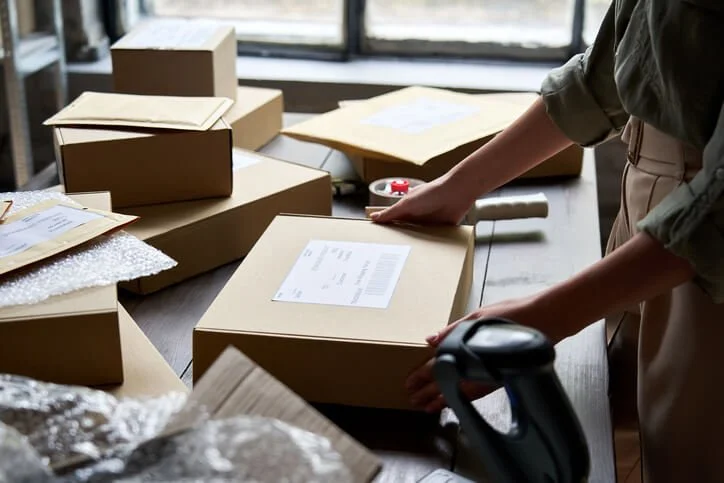
Sending something back isn’t the hard part, knowing what happened to it is. In 2026, that means visibility, reminders, automation, and saying goodbye to those spreadsheets.
Why tracking matters:
You know if the laptop was picked up
You have the arrival date
You minimize the chance of it being “lost in transit”
You get real data for audits and compliance
According to the Flexera 2024/2025 State of ITAM Reports, a persistent challenge for IT teams is lack of complete visibility into IT assets, including hardware. In the 2025 report, complete visibility dropped to 43% from 47% year-over-year, meaning more devices go unaccounted for than ever. (Flexera)
That’s why centralized tracking systems matter. They give teams visibility into every device: its status, timing, and whether follow-ups are needed, all without manual work. This approach is a core part of streamlining laptop returns for remote teams, especially when visibility and follow-ups are automated instead of manual.
Ready to automate your reminders and visibility? Here’s how Retriever does it:
👉 https://helloretriever.com/emails
Pair that with an enterprise dashboard for full lifecycle visibility:
👉 https://helloretriever.com/enterprise
4. A Practical Checklist: What a Secure Equipment Return Workflow Looks Like
To understand what “good” actually looks like in 2026, it helps to break the return process into clear stages. The most reliable laptop return programs follow a clear sequence, whether the work is handled in-house or through a managed service.
Below is a high-level checklist that outlines how a secure, auditable return workflow typically operates from start to finish:
📋 10 Steps in a Secure Company Equipment Return Process
Return request is initiated and logged
Employee is prompted to back up personal data
Personal accounts and credentials are removed
Device condition is documented prior to shipment
Approved return packaging is issued
Prepaid shipping and routing are applied
Device is shipped within a defined return window
Shipment status is tracked in real time
Receipt is confirmed at the destination facility
Asset records are updated within the ITAM system
This is what keeps laptop returns from turning into a mess. When the process runs through one system, devices don’t get lost, visibility improves, and no one has to chase people down.
The real difference isn’t effort, it’s whether the process runs end to end instead of living in emails and spreadsheets.
5. After the Device Arrives: Intake and Next Moves
So the laptop has returned to the building. What to do now. One thing for certain is that the return doesn’t signal that the journey is done. What happens next determines how useful that device actually is.
The post-return workflow should include:
Device inspection: Does it match the condition that was documented earlier?
Hardware diagnostics: Check battery health, screen issues, and keyboard functionality
Sanitize and wipe data: This is not optional and should follow documented, auditable procedures.
Reimaging or repair: Decide if it’s ready for redeployment
This stage is also where laptop return compliance requirements come into play, especially when devices contain sensitive company or employee data. It’s also where many companies still drop the ball. Laptops come back, then sit in a closet for months. If you’ve paid for the hardware once, you should either put it back to work or retire it responsibly.
6. Laptop Warehousing & Redeployment: Get More Value From Returns
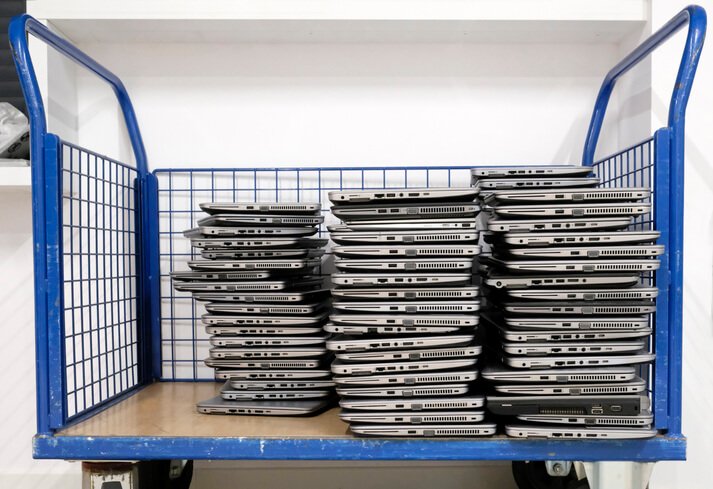
Returned devices shouldn’t go straight into storage if you can avoid it. Laptop warehousing and redeployment are about keeping devices secure and getting them back into service quickly.
That matters in 2026 because it:
Reduces unnecessary hardware spend
Shortens deployment timelines for new hires
Improves sustainability
Keeps assets in a known, controlled environment
A strong warehousing program doesn’t just store devices. It includes:
Secure onsite or offsite storage
Condition checks and cleaning
Repairs, provisioning, and readiness checks
Clear inventory visibility
Without a centralized redeployment process, companies end up buying new laptops while usable ones are left in storage. That’s real value left on the table. This is exactly what Retriever’s laptop warehousing and redeployment services are designed to solve. Secure storage, clear inventory visibility, and on-demand readiness so returned devices don’t sit idle.
Learn more about how this works in practice:
👉 https://helloretriever.com/laptop-warehousing-and-redeployment
7. Laptop Disposal & Data Destruction: End-of-Life Done Right
Some laptops are simply at the end of their useful life. In those cases, disposal and data destruction are your priorities. This isn’t just shredding a hard drive, it’s about compliance.
Depending on your industry, you may need:
NIST-compliant data wipe procedures
Certificates of data destruction for audits
Environmentally responsible recycling
Chain-of-custody documentation
If you’re not scrubbing and retiring devices securely, you’re exposing your business to risk from both a security and a compliance perspective.
Here’s where to start if disposal becomes the right call:
👉 https://helloretriever.com/data-destruction-laptop-disposal
8. Centralizing Laptop Returns: Why ITAM Teams Should Lead
Laptop returns fall apart when ownership is scattered and there’s no single system keeping things together. Flexera’s ITAM research consistently shows that asset visibility remains a major challenge and unclear ownership is a big reason why. (Flexera)
When HR, IT, and managers all own pieces of the process, returns get messy. Emails and spreadsheets take over, devices get missed, and returns get delayed. That doesn’t scale in 2026.
TAM teams are the natural owners because laptop returns don’t end when a box ships. They affect security, inventory accuracy, audit readiness, and the broader impact of laptop return processes on employee offboarding.
When laptop returns are centralized under ITAM, teams have one clear place to track devices from start to finish. The process stays consistent without creating more work for HR or frustration for employees.
Frequently Asked Questions About Safely Returning Company Equipment
How should employees safely return company equipment?
Employees should follow the return instructions provided by their employer and use the approved return packaging and prepaid shipping label. Before shipping the device, they should back up any personal files if permitted, remove personal accounts when instructed, include all required accessories, and return the equipment by the specified deadline. Following a standardized process helps reduce shipping damage, delays, and unnecessary follow-up for IT and HR teams.
Why do companies use standardized laptop return kits?
Companies use standardized laptop return kits to protect laptops during shipping and create a consistent return experience for every employee. Most kits include protective packaging, a prepaid shipping label, and clear return instructions. Standardized packaging helps reduce shipping damage, simplifies remote employee offboarding, and makes laptop return workflows easier for IT teams to manage at scale.
How do companies maintain chain of custody during company equipment returns?
Companies maintain chain of custody by documenting each stage of the return process, from shipment through final processing. This typically includes shipment tracking, delivery confirmation, intake verification, inspection records, and documentation of the device's final disposition. Maintaining a documented chain of custody improves asset visibility while supporting security, compliance, and audit requirements.
What are the most common mistakes employees make when returning company equipment?
Common mistakes include using improper packaging, delaying shipment, forgetting to return accessories, leaving personal accounts on the device, or not following the provided return instructions. These issues can increase the risk of shipping damage, create security concerns, and require additional follow-up from IT and HR teams before the device can be processed.
How do companies track returned laptops during employee offboarding?
Companies typically track laptop returns from the time a prepaid shipping label is issued until the device is received and processed. Centralized tracking provides visibility into shipment status, delivery confirmation, and device intake, allowing IT and HR teams to monitor every stage of the employee offboarding process. Real-time tracking also helps identify delayed or missing devices before they become larger recovery issues.
How can companies protect company data during laptop returns?
Companies protect sensitive data by securely handling returned devices, maintaining chain-of-custody records, and performing documented data sanitization after equipment is received. Many organizations follow recognized standards such as NIST 800-88 and maintain Certificates of Data Destruction or similar documentation before devices are redeployed, resold, or retired.
What should happen after a returned laptop arrives?
After a returned laptop arrives, IT teams should inspect the device, verify its condition, securely wipe company data, and determine whether it should be redeployed, repaired, resold, or retired. Processing returned devices promptly helps organizations recover more value from existing hardware, maintain accurate asset records, and support effective device lifecycle management.
Laptop Returns Don’t Have to Be a Nightmare
Getting company equipment back doesn’t require magic. It requires a process that’s clear, repeatable, and designed to work at scale. When expectations are set early, returns are standardized, and visibility is built in from start to finish, laptops come back the way they should, without constant chasing, guesswork, or cleanup work for IT and HR.
In 2026, the strongest laptop return programs are predictable, auditable, and automated by design. And that’s exactly what organizations that take IT asset management seriously are putting in place.
If you’re ready to take the friction out of laptop returns, learn how Retriever manages the entire return process end to end.